Steps to Authenticate firebase using Apple
Steps to Authenticate firebase using Apple
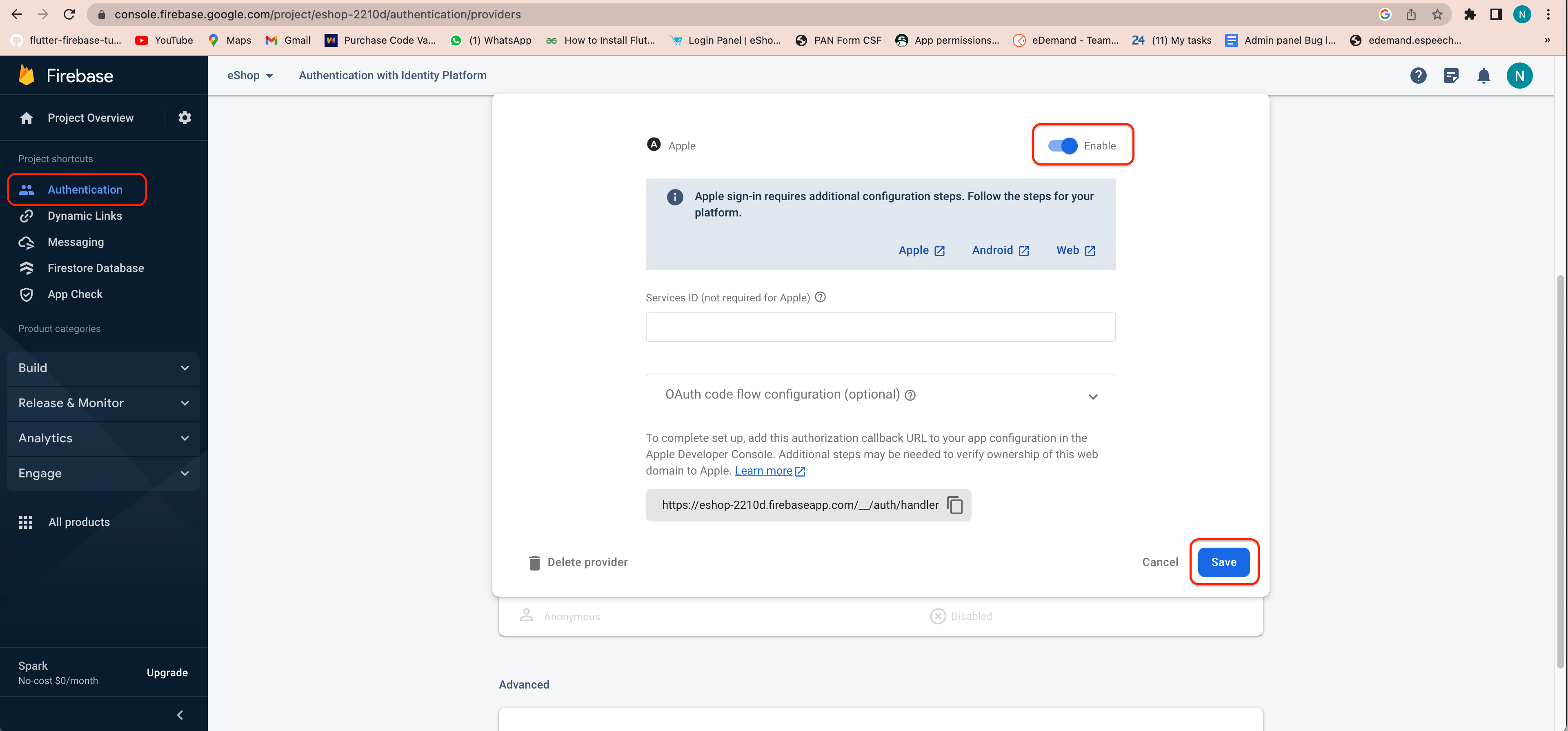
1. Open your firebase console.
- Go to Sign-in method in Authentication.
- Click on add new provider button.
- Go to the Apple and enable apple sign in.
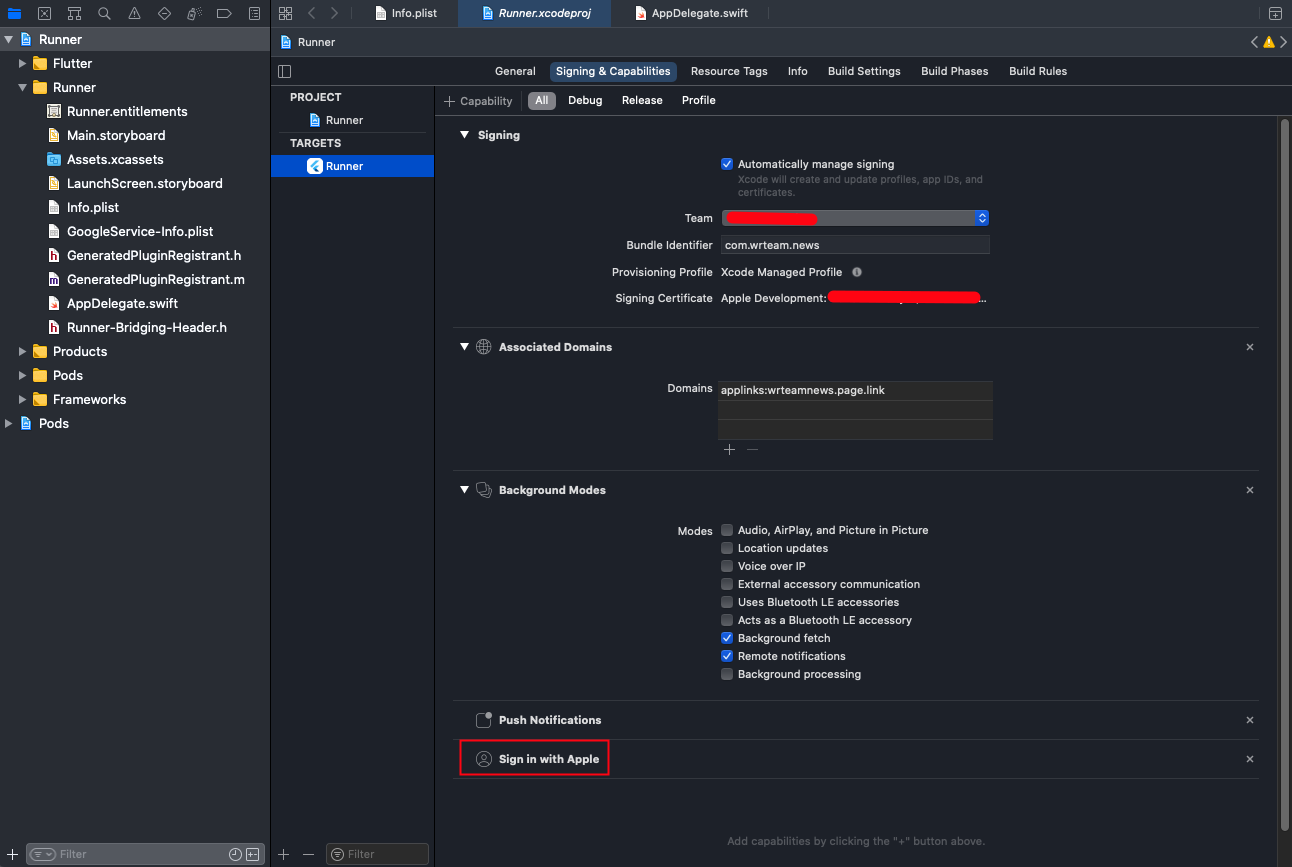
2. In Xcode, select the Signing & Capabilities tab, and add "Sign In With Apple" as a new Capability then select a team on the Code Signing section.
- This will generate and configure an App ID in the "Certificates, Identifiers & Profiles" section of the Apple Developer portal.