Support Ticket Management
The Support Ticket Management system helps administrators efficiently handle customer inquiries, technical issues, and support requests through an organized ticketing system.
Key Benefits
- Organized communication with customers
- Track issue resolution from start to finish
- Prioritize urgent requests effectively
- Maintain support history for reference
Overview
The support ticket system provides:
- Ticket Type Management - Custom categories for different support needs
- Status Tracking - Monitor tickets through their lifecycle
- Admin Dashboard - Centralized view of all tickets
- Search & Filter - Quickly find specific tickets
Ticket Types
What are Ticket Types?
Categories that organize support requests by nature:
- Technical Support - Software bugs, technical issues
- Billing & Payments - Payment problems, refunds
- Product Inquiries - Questions about products
- Account Issues - Login problems, account management
- General Support - Other inquiries
Creating Ticket Types
- Navigate to Support → Ticket Types
- Click "Add New Ticket Type"
- Enter:
- Type Name: Descriptive name (e.g., "Technical Support")
- Description: What this type covers
- Status: Active/Inactive
- Click "Save"
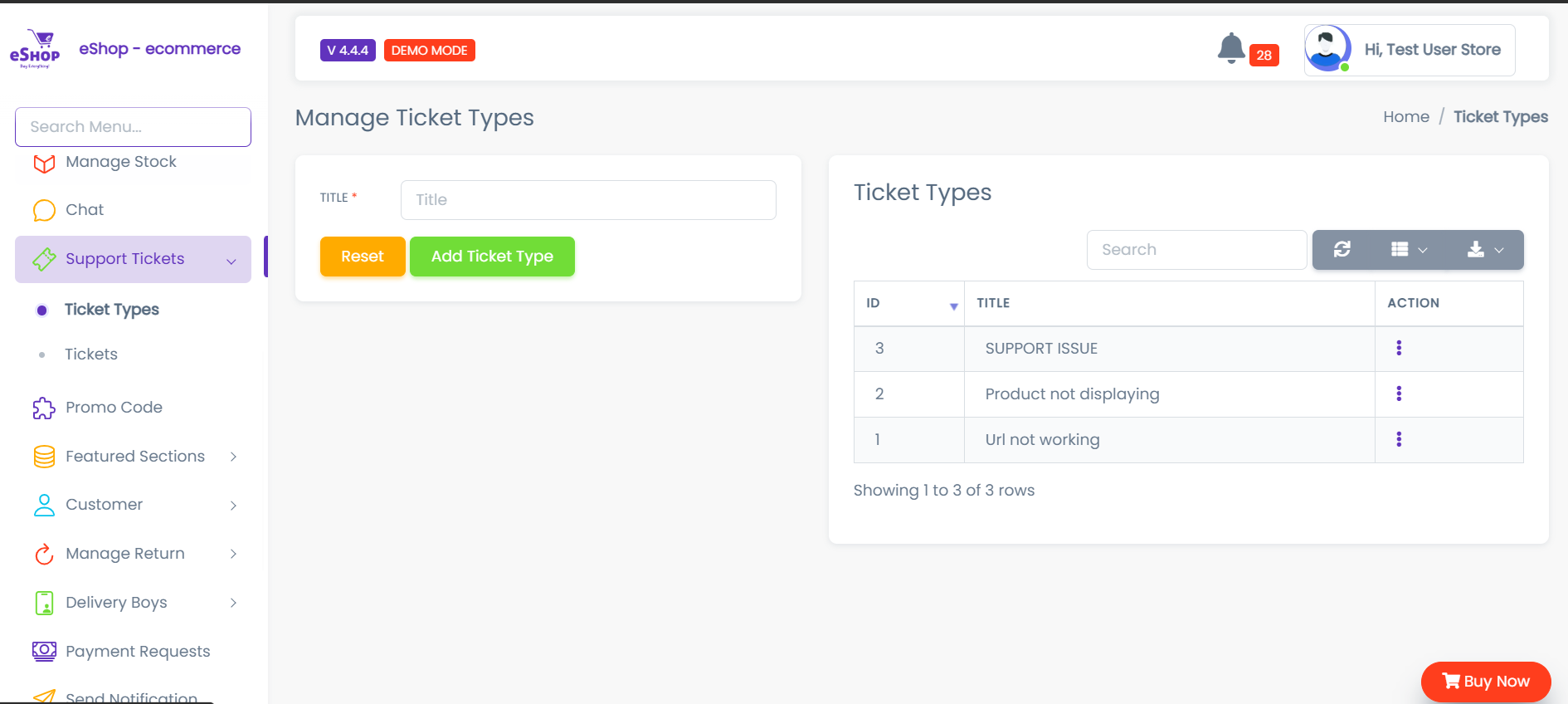
Managing Types
- Edit: Click Edit icon → Update details → Save
- Delete: Click Delete icon → Confirm
- Activate/Deactivate: Toggle status switch
warning
Deleting a ticket type may affect existing tickets. Consider deactivating instead.
Admin Dashboard
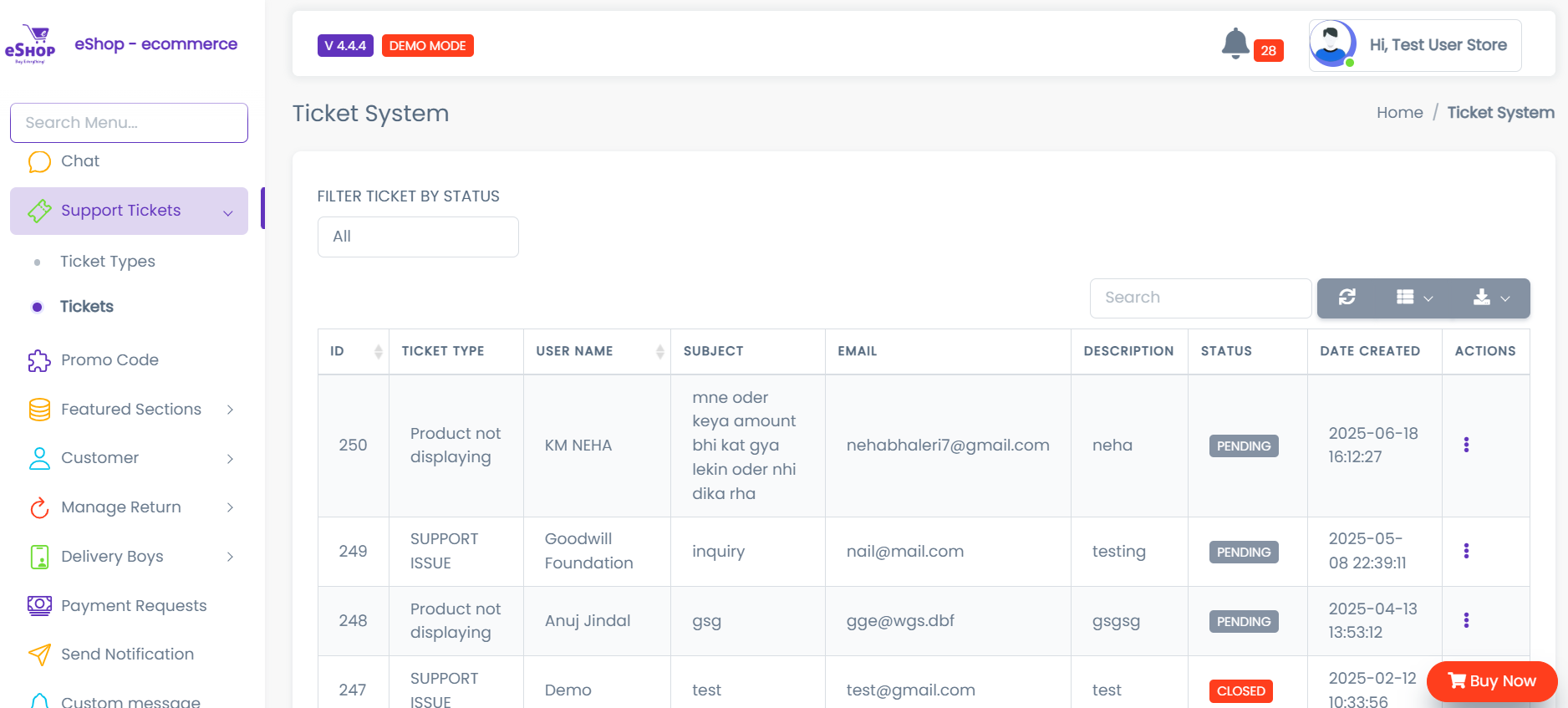
Dashboard Features
Ticket Overview:
- Total tickets count
- Tickets by status
- Recent activity
Ticket List:
- Table view with: ID, Customer, Type, Subject, Status, Priority, Date
Search & Filter:
- Search by ticket ID, customer name, or subject
- Filter by status, type, priority, or date
Adding Internal Notes
- Open ticket
- Click "Add Internal Note"
- Type note (e.g., "Escalated to technical team")
- Save
note
Internal notes are only visible to admin users, not customers.
Quick Reference
Ticket Workflow
- Customer submits ticket → Open
- Admin responds → Pending (if waiting for customer)
- Customer provides info → Open (back to admin)
- Admin solves issue → Resolved
- Customer confirms → Closed