System Settings
The System Settings page is the control center for your e-commerce platform's core behavior. It allows you to define global configurations that affect the mobile app, website, order processing, and communication channels.
Changes made in the System Settings are applied globally across both the customer mobile app and the website.
1. General Information & App Identity
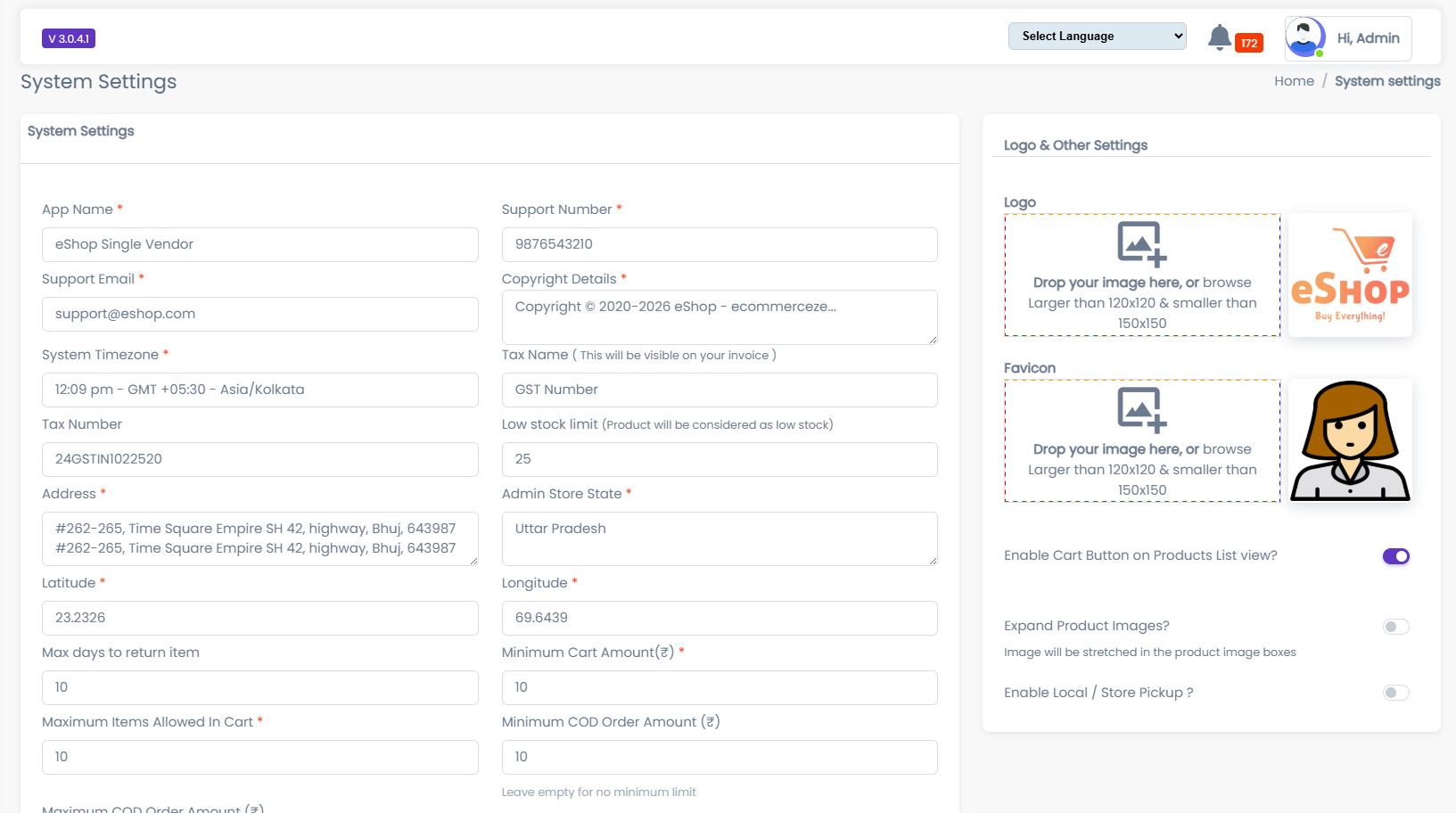
This section controls the branding and basic contact information visible to your customers.
- App Name: The name of your application as it appears to users.
- Support Number: The primary contact number for customer support inquiries.
- Support Email: The official email address for support tickets.
- Logo: The specific image used as the Store/App logo.
- Favicon: The browser tab icon for the web version.
- Tip: Refer to the Media Management guide for upload instructions.
App Version Control
Manage the versioning of your mobile application to ensure users are on the latest build.
- Current Version Of App: The latest version number of your released app (e.g.,
1.0.2). - Minimum Version Required: The oldest version of the app that is still allowed to function. Users on older versions will be forced to update.
- Version System Status: Toggle to enable or disable the forced update check.
2. Store Configuration & Logistics
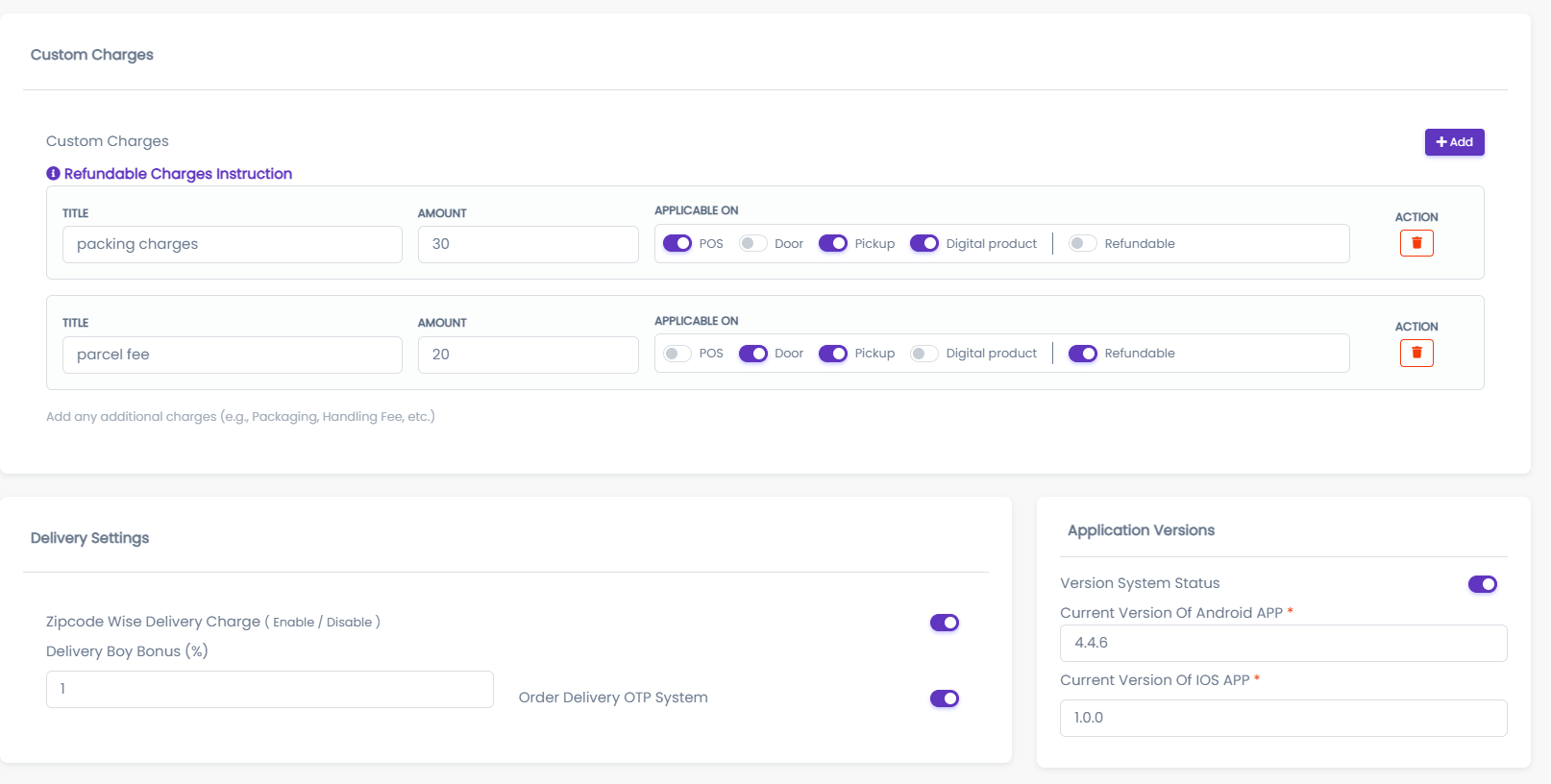
Configure the financial and logistical rules for your store, including currency, delivery fees, and cart restrictions.
- Store Currency: The symbol or code (e.g.,
$,₹,USD) used for all prices. - System Timezone: The timezone for all system timestamps (orders, logs, etc.).
Delivery & Cart Settings
- Delivery Charge Amount (₹): The standard shipping fee applied to orders.
- Minimum Amount for Free Delivery (₹): Orders above this value will have the delivery charge waived.
- Minimum Cart Amount (₹): The minimum subtotal required before a user can proceed to checkout.
- Maximum Items Allowed In Cart: Limit the number of unique items a user can add to a single order.
- Minimum Order Amount (₹): The absolute minimum monetary value required to place an order.
3. Email & Rewards
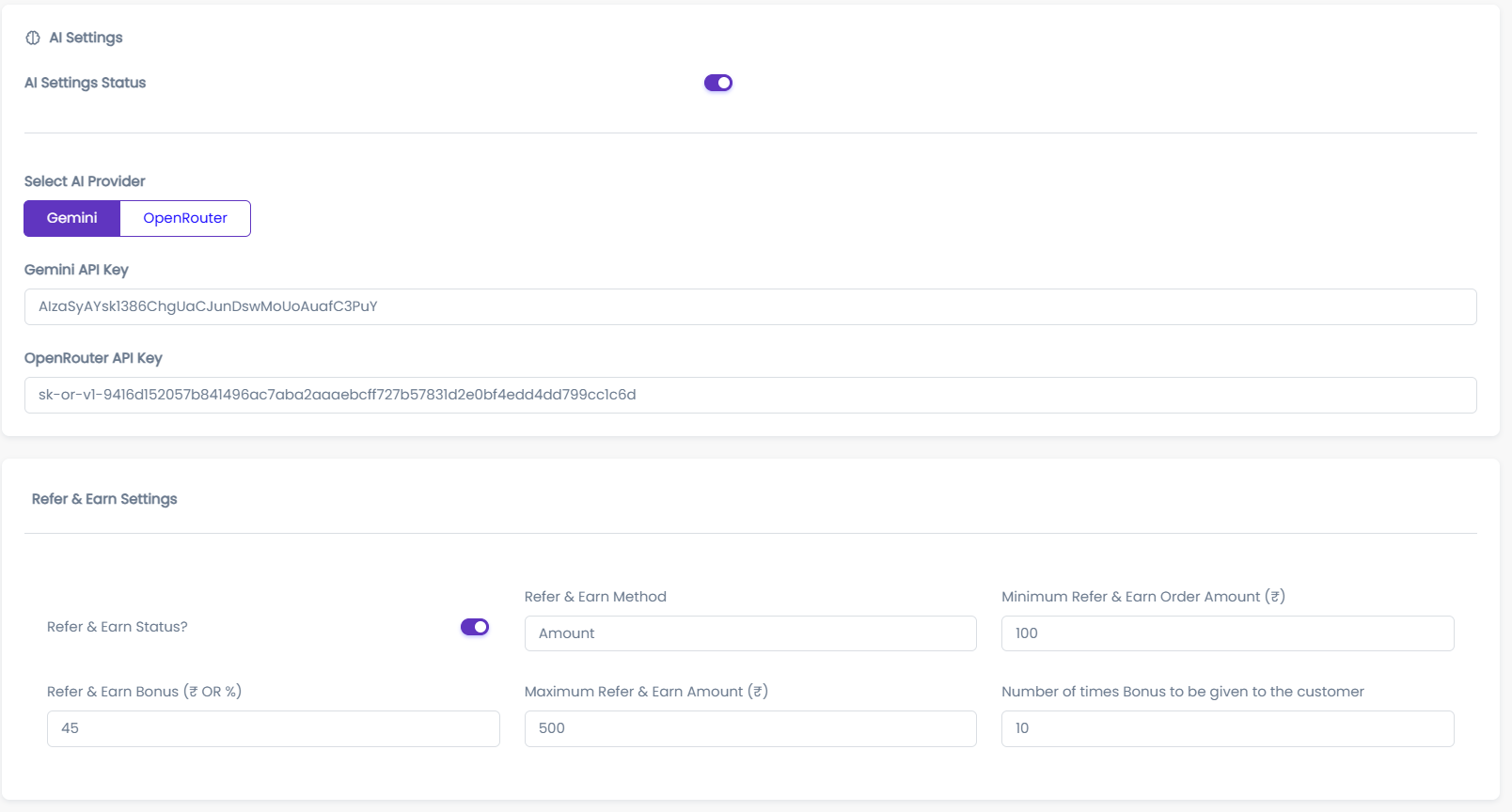
Set up your communication channels and user incentives.
Referral System
- Refer & Earn Bonus (₹ OR %): Define the bonus amount or percentage a user earns when they refer a new customer.
Email Configuration
These settings determine how the system sends automated emails (invoices, OTPs, etc.).
- From eMail ID: The sender address that appears in the "From" field of all system emails.
- Example:
no-reply@yourstore.com
- Example:
- Reply To eMail ID: The email address where user replies will be delivered.
- Example:
support@yourstore.com
- Example:
Actions
- Update Settings: Click to save all changes.
- Reset: Revert the form fields to their last saved state.