View Transactions
Transactions Overview
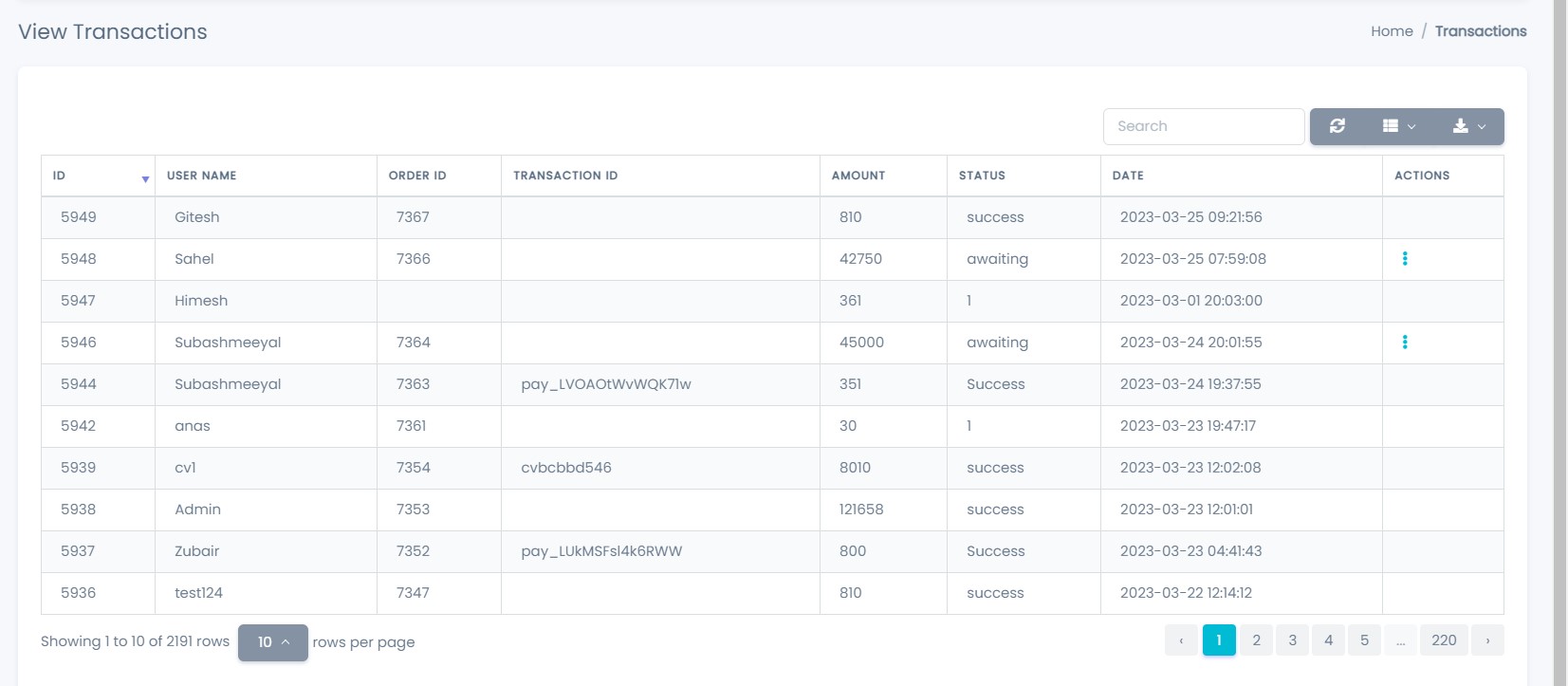
The View Transactions page allows administrators to monitor, review, and manage all financial transactions on the platform.
It provides complete visibility into user payments, order references, transaction status, and amounts.
Transaction List Details
Each row in the transaction list represents a single financial transaction and displays the following information:
-
ID
A unique system-generated identifier for the transaction. -
User Name
The customer associated with the transaction. -
Order ID
The order reference linked to the transaction. -
Transaction ID
The payment gateway transaction reference.
This field may remain empty for pending transactions. -
Amount
The transaction amount (in the platform’s default currency). -
Status
Indicates the current transaction state:awaiting– Payment pending confirmationsuccess– Payment completed successfullyfailed– Payment failed or declined
-
Date
The date the transaction was created. -
Actions
Provides access to transaction management options.
Transaction Actions
Using the Actions menu, administrators can:
- Update Transaction
Modify the transaction status, transaction ID, or add remarks.
Transactions in Awaiting status should be updated once payment confirmation is received.
Update Transaction
Administrators can update a transaction by selecting Update Transaction from the actions menu.
This opens a modal window where transaction details can be safely modified.
Update Transaction Fields
The update transaction popup contains the following fields:
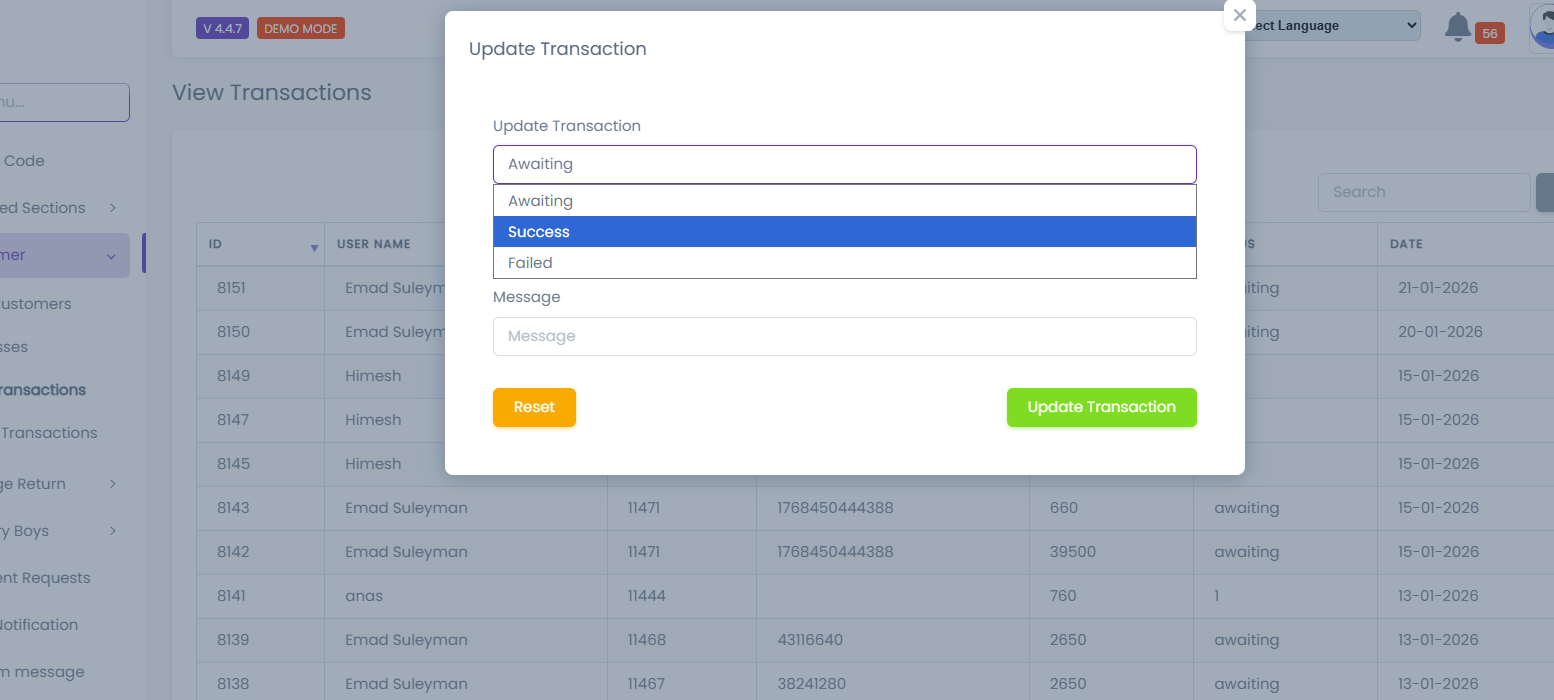
-
Transaction Status
Select the updated transaction status:AwaitingSuccessFailed
-
Txn ID
Enter or update the payment gateway transaction ID. -
Message
Optional remarks or internal notes related to the transaction update.
Update Actions
-
Update Transaction
Saves the updated transaction details and applies changes immediately. -
Reset
Clears all entered values in the update form.
Updating a transaction to Success may automatically update order status and wallet balances.
Search & Pagination
To efficiently manage large volumes of transactions, the following tools are available:
-
Search
Search transactions using user name, order ID, or transaction ID. -
Pagination
Navigate through multiple pages of transaction records. -
Rows Per Page
Control how many transaction records are displayed per page.
Status Behavior
Understanding transaction status behavior is essential for accurate financial tracking:
-
Awaiting
Payment is initiated but not yet confirmed. -
Success
Payment has been successfully processed and confirmed. -
Failed
Payment was unsuccessful or rejected by the payment gateway.
Notes & Warnings
Transaction data is displayed in real time based on the database.
All updates take effect immediately after saving.
Only authorized administrators are allowed to update transaction records.
Incorrect status updates may affect financial reports.
Changing a transaction to Success incorrectly may result in incorrect wallet credits or order fulfillment.