Sections Order
Sections Order allows you to control the display sequence of featured sections on your website's homepage. The order you set here determines how sections appear from top to bottom on the frontend.
Why Manage Section Order?
- Control homepage layout by arranging sections strategically
- Highlight priority content by placing important sections first
- Improve user experience with logical section flow
- Adapt to campaigns by reordering sections easily
Sections Order Interface
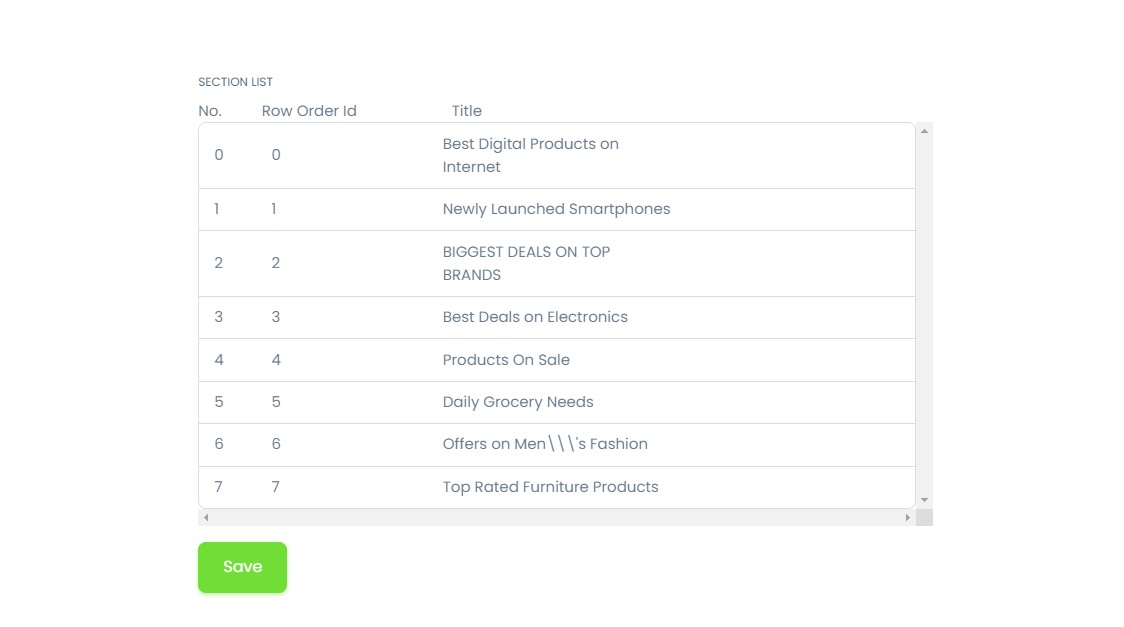
The sections order interface displays all your featured sections in a list that you can rearrange by dragging and dropping.
How to Reorder:
- Navigate to Featured Sections → Sections Order
- Click and hold the drag handle (⋮⋮) next to a section
- Drag the section up or down to the desired position
- Release to drop the section in the new position
- Click "Save Order" to apply changes
note
The order you set here (1, 2, 3, etc.) determines the display sequence on the homepage from top to bottom.
Section Display on Homepage
The featured sections you create appear on your website's homepage in the order you configure:
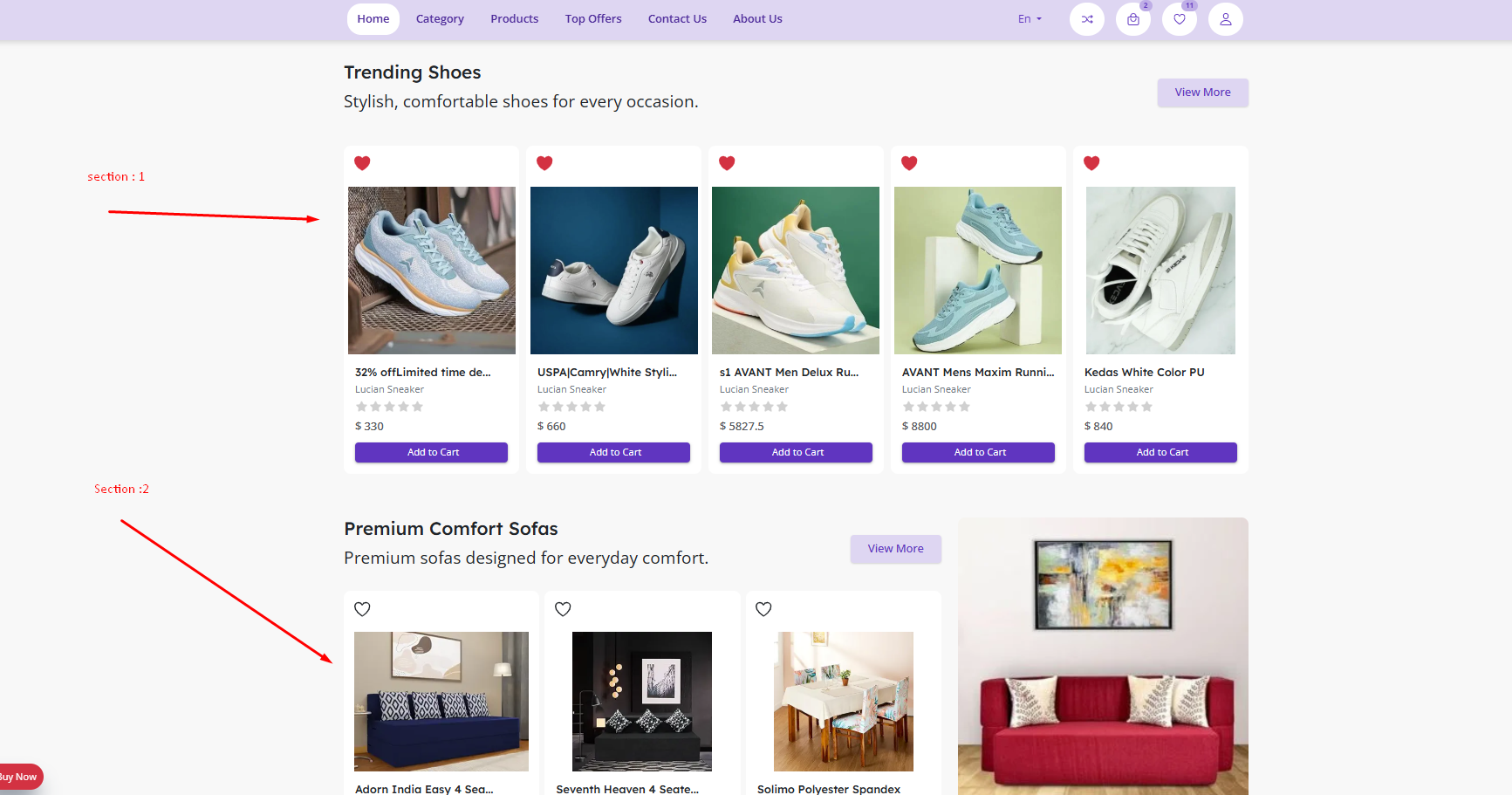
How sections appear to customers:
- Section 1 displays at the top (e.g., "Trending Shoes")
- Section 2 displays below Section 1 (e.g., "Premium Comfort Sofas")
- Section 3 displays below Section 2, and so on
- Each section shows with its title and description
- Products are displayed according to the selected style
- Customers can click on products to view details
- Only Active sections are visible on the frontend
Example Order:
Homepage Display:
┌─────────────────────────────┐
│ Section 1: Trending Shoes   │ ← Order Position 1
├─────────────────────────────┤
│ Section 2: Premium Sofas    │ ← Order Position 2
├─────────────────────────────┤
│ Section 3: Electronics      │ ← Order Position 3
└─────────────────────────────┘
Strategic Positioning
Place your most important sections (sales, new arrivals, best sellers) in the top positions for maximum visibility.