Country Management
Country Management allows you to view and manage the list of countries available in your eShop. Countries are used for customer addresses, shipping destinations, and location-based services.
Countries Pre-loaded from SQL
Countries are automatically imported from an SQL file included with the code. The system comes with a comprehensive list of countries pre-configured. You can add new countries or edit existing ones as needed.
Country List Dashboard
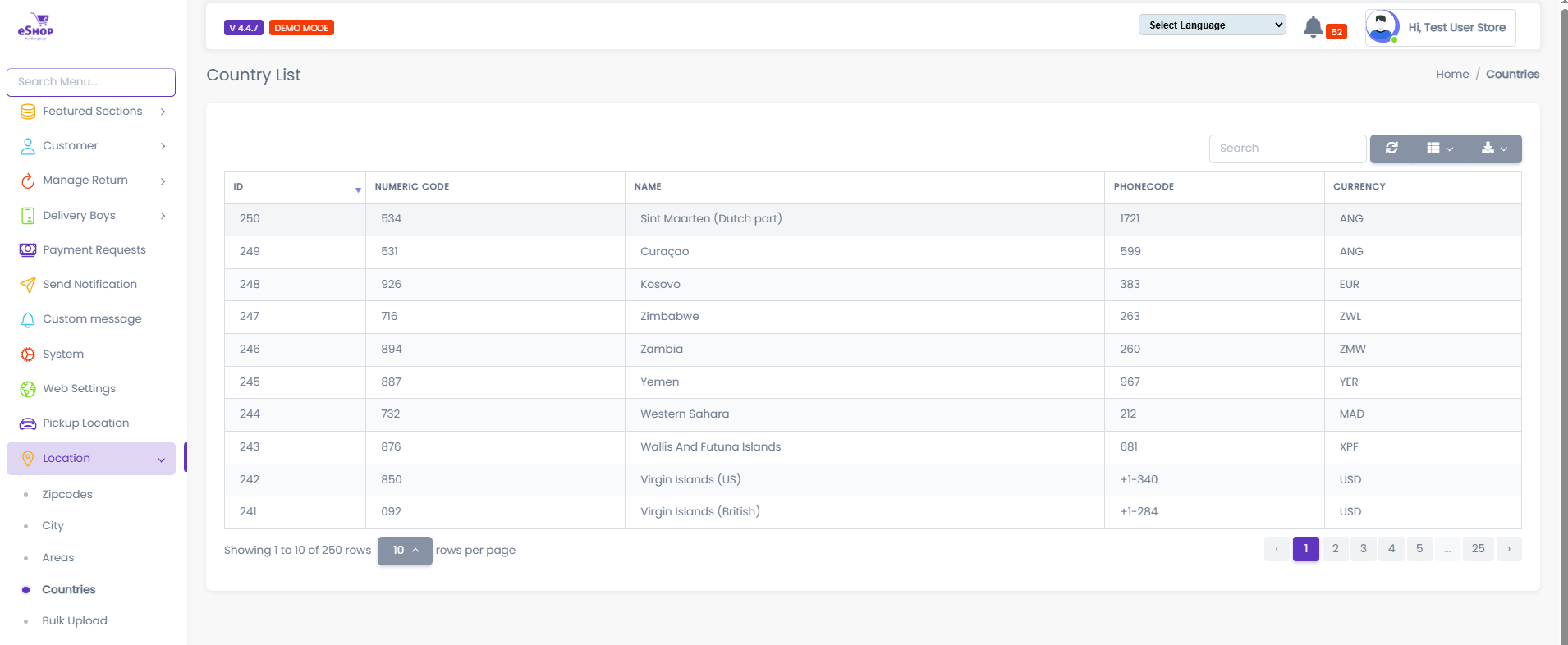
The country list dashboard displays all available countries with their details.
Table Columns:
- ID: Unique country identifier
- NUMERIC CODE: ISO numeric country code (e.g., 534, 531, 1925)
- NAME: Country name (e.g., Sint Maarten, Curaçao, Kosovo, Zimbabwe)
- PHONECODE: International dialing code (e.g., 1721, 599, 383, 263)
- CURRENCY: Currency code (e.g., ANG, EUR, ZWL, YER)
Example Countries:
- Sint Maarten (Dutch part) - Code: 534, Phone: 1721, Currency: ANG
- Curaçao - Code: 531, Phone: 599, Currency: ANG
- Kosovo - Code: 1925, Phone: 383, Currency: EUR
- Zimbabwe - Code: 716, Phone: 263, Currency: ZWL
- Zambia - Code: 894, Phone: 260, Currency: ZMW
- Yemen - Code: 887, Phone: 967, Currency: YER
- Western Sahara - Code: 732, Phone: 212, Currency: MAD
Pre-loaded Countries
SQL File Import
How Countries Are Loaded
When you install the eShop system, countries are automatically imported from an SQL file included in the codebase. This file contains:
- 250+ countries from around the world
- ISO country codes (numeric and alpha codes)
- Phone codes for international dialing
- Currency codes for each country
- Complete country data ready to use