Currency Exchange Rate API Key
The platform can show property prices in a visitor's own currency by converting from your base currency using live exchange rates. Those rates come from exchangerate-api.com.
This API key is optional. Currency conversion already works on the free tier without any key — you only need a key if you want higher rate limits for a busier site.
In your admin dashboard, go to Settings > General, then open the API Integrations tab. Look for the Exchange Rate API section.
Do You Need a Key?
| Situation | Recommendation |
|---|---|
| Small or new site, low traffic | No key needed. The free tier (about 1,500 requests/month) is enough. |
| Busier site, or conversions occasionally fail to update | Add a free key for a higher request limit. |
Exchange rates are fetched and cached, so the platform doesn't call the service on every page view. A key simply raises the ceiling on how many fresh rate lookups you're allowed.
Step 1: Get Your Free API Key
- Go to exchangerate-api.com.
- Sign up for a free account.
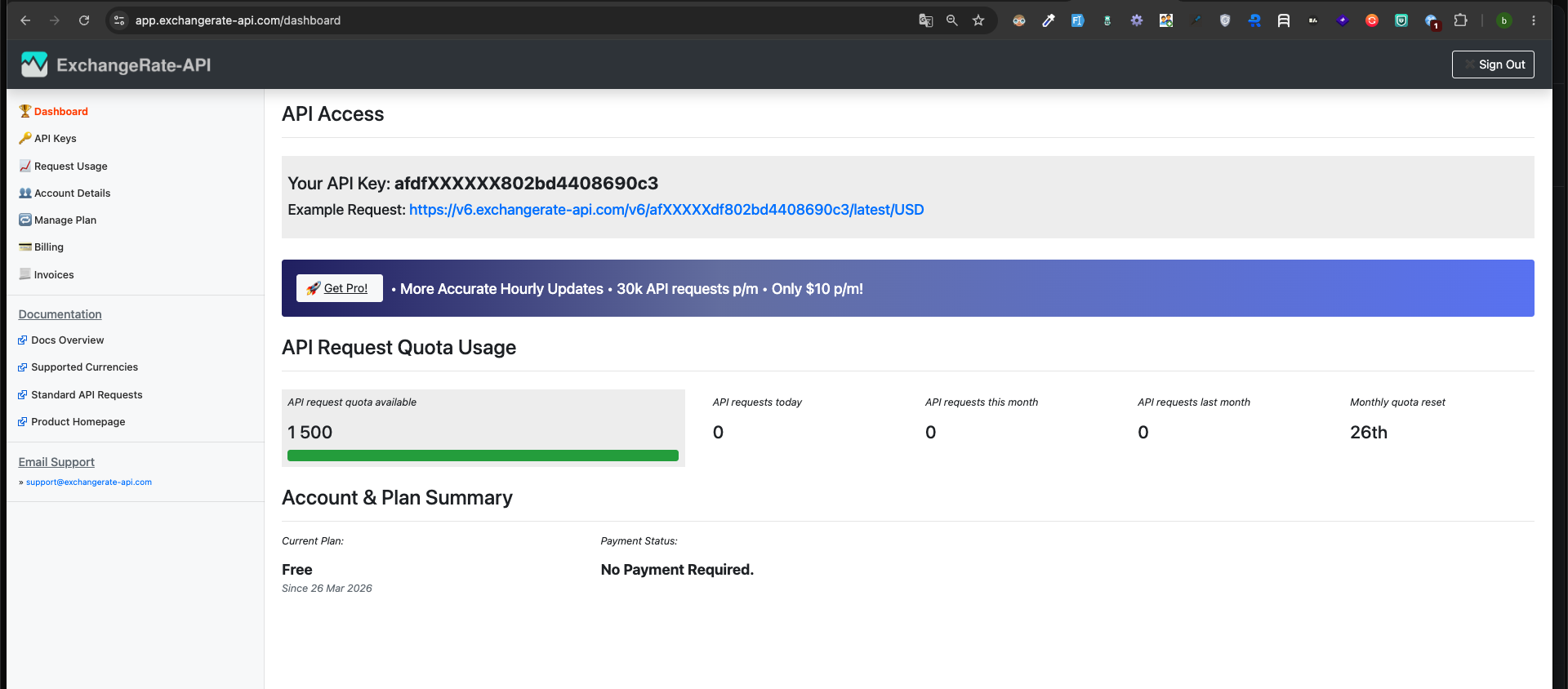
- Copy the API key shown in your dashboard.
Step 2: Enter the Key in the Admin Panel
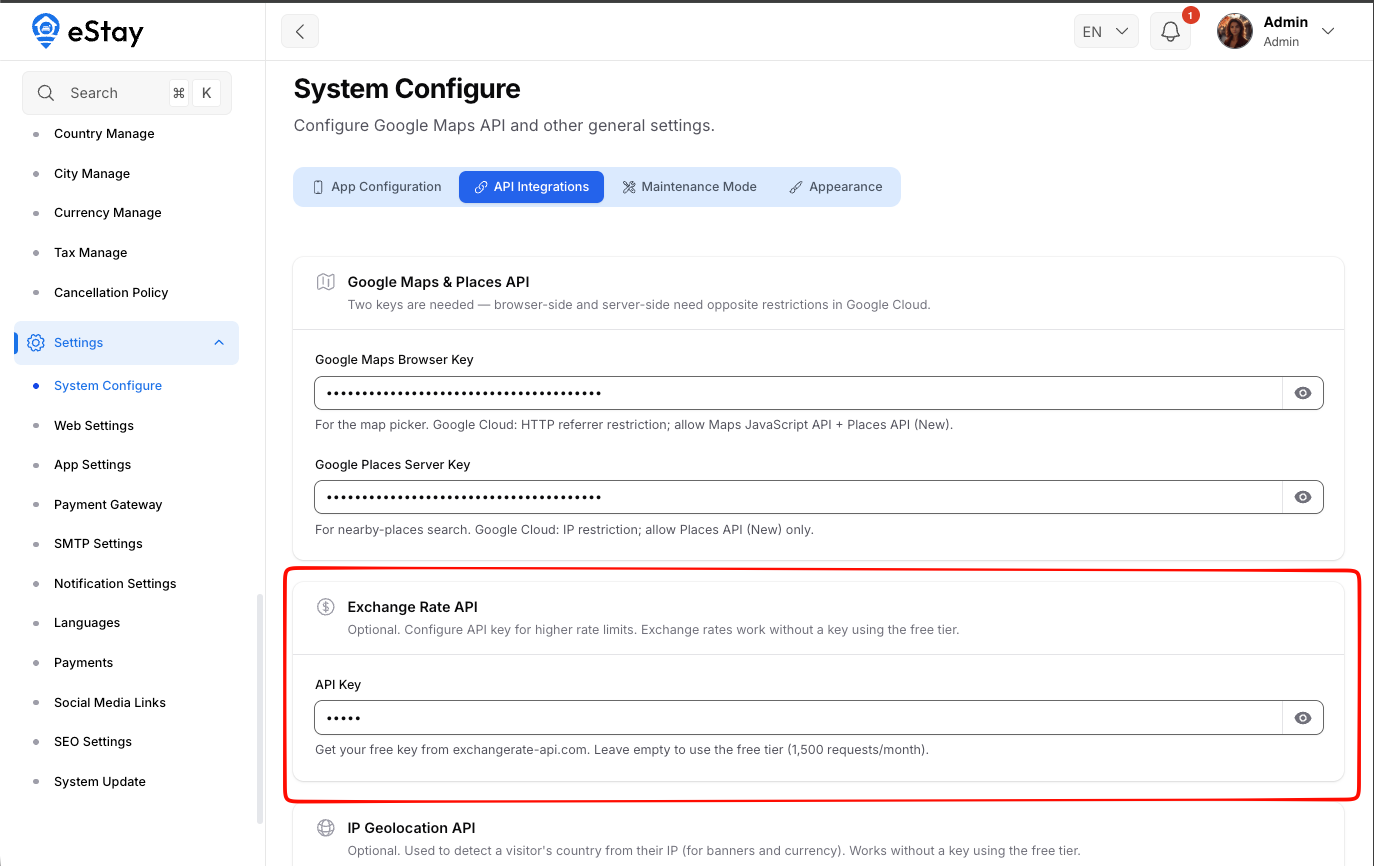
In Settings > General > API Integrations, find the Exchange Rate API section and fill in:
| Field | What to Enter |
|---|---|
| API Key | The key from exchangerate-api.com. Leave empty to keep using the free tier (1,500 requests/month). |
The field is masked — click the eye icon to reveal it and confirm it's correct.
Step 3: Save
Click Save. The new key takes effect immediately and is used for the next rate refresh.
Troubleshooting
| Problem | Likely Cause & Fix |
|---|---|
| Converted prices look outdated | Rates are cached for performance — they refresh periodically. If they never update, you may have hit the free-tier limit; add an API key. |
| Conversions stopped working entirely | Confirm the key is valid in your exchangerate-api.com dashboard, or clear the field to fall back to the free tier. |
Unlike some settings, this one is genuinely optional. If you're unsure, leave it empty — conversion will still work.