Refer & Earn
The Refer & Earn program (under Marketing) rewards customers for inviting their friends. When a new customer signs up using a referral code and completes a qualifying booking, both people earn a reward coupon. This page lets you configure the reward rules and track every referral.
This is a global program — it applies platform-wide, not per country. The country and property switchers are hidden here.
How It Works
- Every customer has a personal referral code.
- A referrer shares their code; a referee (the new user) signs up with it.
- When the referee completes a qualifying booking, the platform issues reward coupons to both, according to your rules.
Step 1: Open Refer & Earn
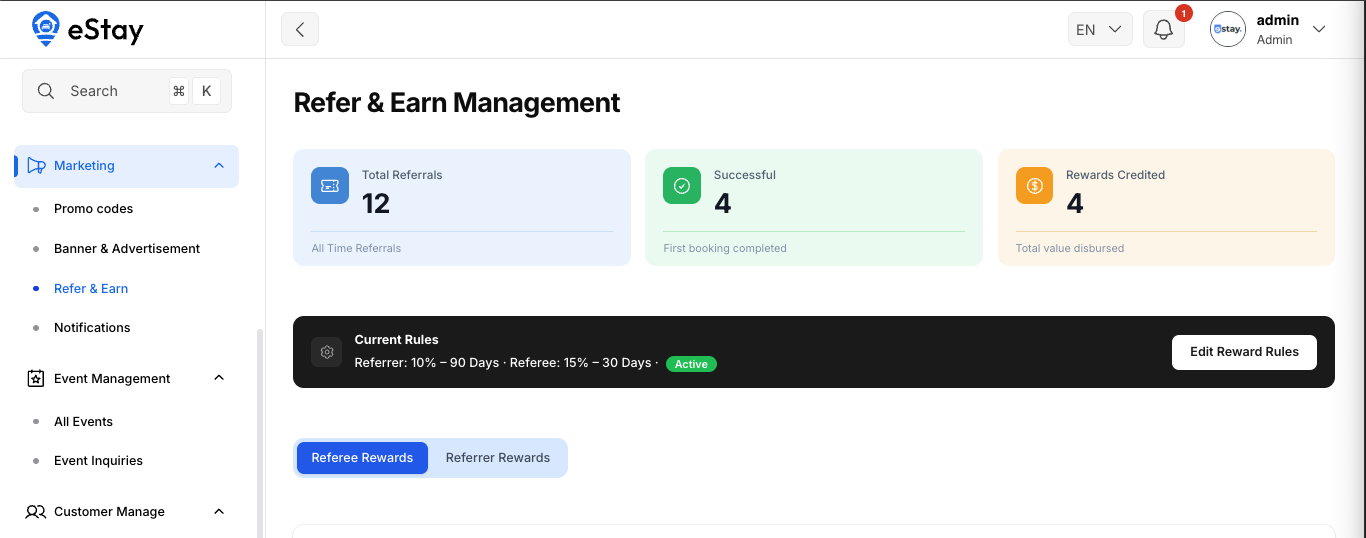
In your admin dashboard, go to Marketing > Refer & Earn. At the top you'll see overall stats:
| Stat | Meaning |
|---|---|
| Total Referrals | Everyone who signed up via a referral. |
| Successful Referrals | Referrals that converted into a reward. |
| Total Rewards | How many reward coupons have been issued. |
Step 2: Configure the Reward Rules
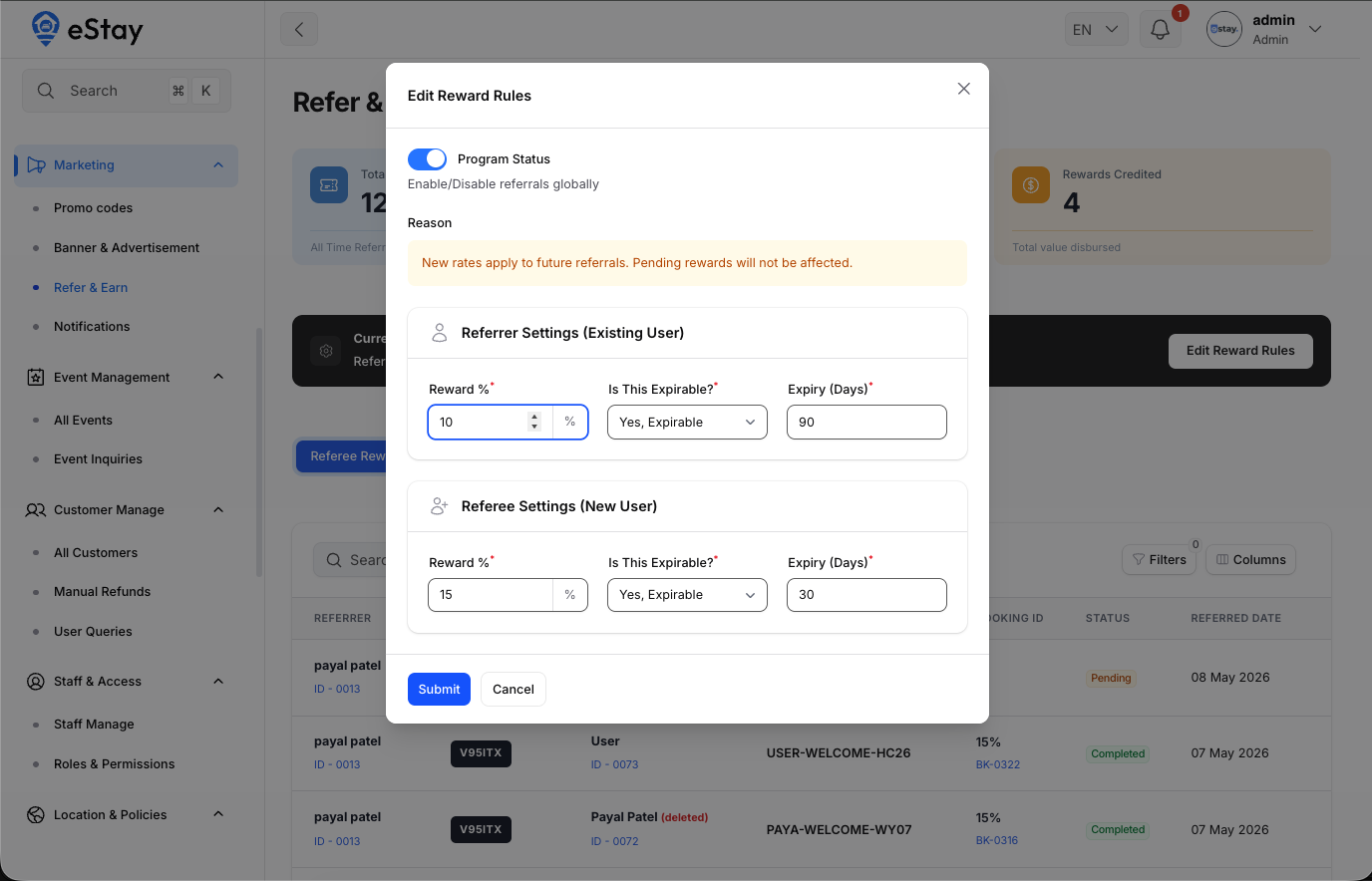
Click Edit Reward Rules to set up the program:
| Setting | Description |
|---|---|
| Program Status | Turn the entire referral program on or off. |
Then configure each side separately:
Referrer (the person who invites)
| Setting | Description |
|---|---|
| Reward Percentage | The reward the referrer earns, as a percentage (1–100%). |
| Is Expirable | Whether the referrer's reward coupon expires. |
| Expiry Days | If expirable, how many days until it expires (1–500). |
Referee (the new user)
| Setting | Description |
|---|---|
| Reward Percentage | The reward the new user earns, as a percentage (1–100%). |
| Is Expirable | Whether the referee's reward coupon expires. |
| Expiry Days | If expirable, how many days until it expires (1–500). |
Defaults: Referrer 10% (expires in 90 days), Referee 15% (expires in 30 days).
Step 3: Track Referrals
The page has two tabs:
| Tab | Shows |
|---|---|
| Referee Rewards | Rewards earned by new users who were referred. |
| Referrer Rewards | Rewards earned by existing users who referred someone. |
Each row shows the referrer, the referral code, the referee, the reward coupon, the related booking (if any), the status, and the referred date.
Status meanings:
| Status | Meaning |
|---|---|
| Completed | The referral converted and the reward was issued. |
| Pending | The referee signed up but hasn't completed a qualifying booking yet. |
| Expired | The reward window passed without conversion. |
You can search by referrer and filter by status or whether a booking was made.
Referrals are kept in history even if a customer later deletes their account — such entries are marked (Account deleted) so your totals stay accurate.