IP Geolocation (IPInfo) API Token
The platform can detect a visitor's country from their IP address. This is used to:
- Show the right banners for the visitor's region.
- Display prices in the visitor's local currency automatically.
The country lookup is powered by ipinfo.io. This token is optional — detection works on a free anonymous tier without it. You only add a token to get higher, more reliable rate limits.
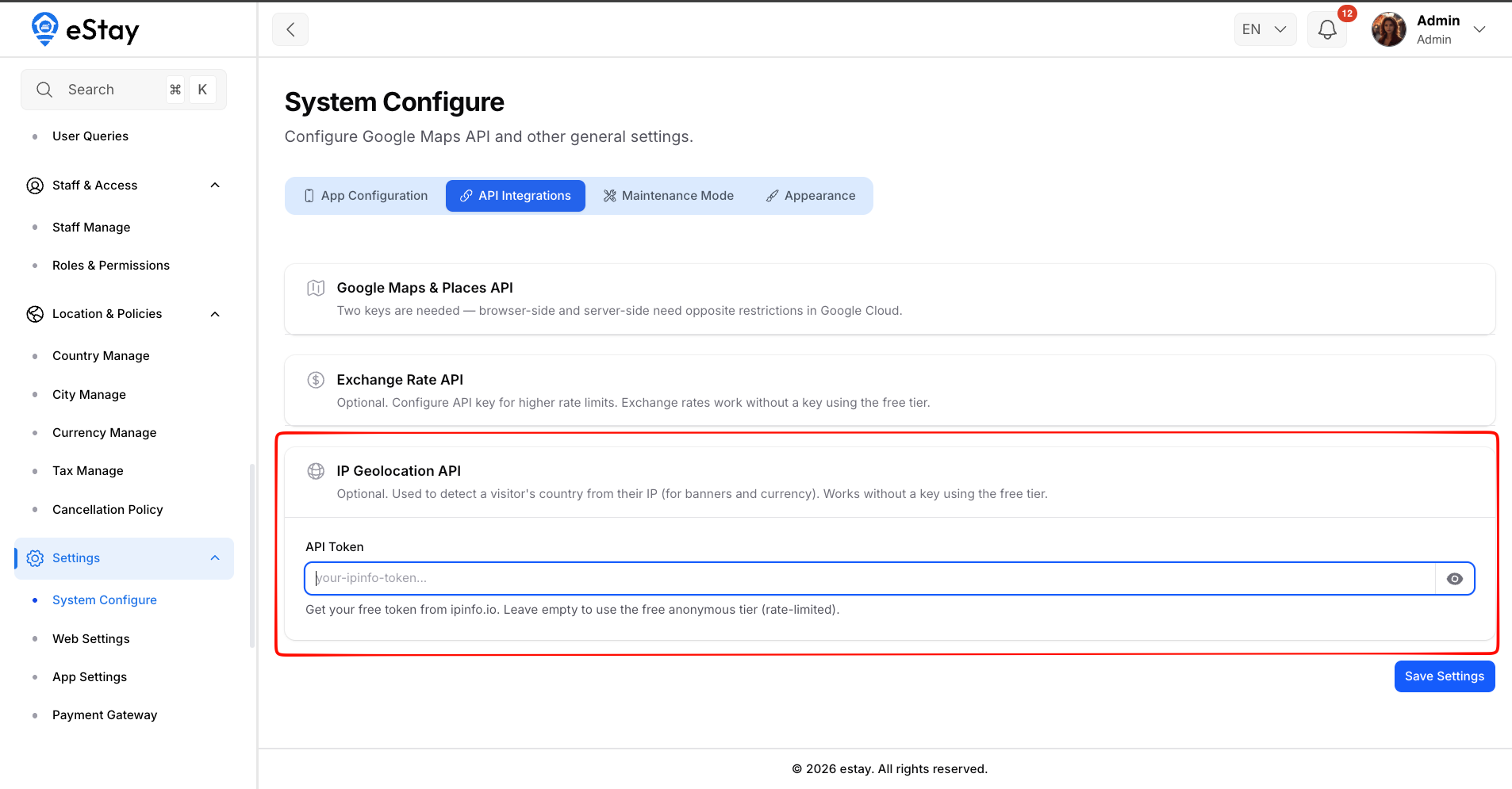
In your admin dashboard, go to Settings > General, then open the API Integrations tab. Look for the IP Geolocation API section.
Do You Need a Token?
| Situation | Recommendation |
|---|---|
| Low traffic | No token needed. The free anonymous tier works, but is rate-limited. |
| Country detection sometimes fails, or higher traffic | Add a free token from ipinfo.io for reliable detection. |
When a visitor arrives, the platform reads their IP, asks ipinfo.io which country it belongs to, and caches that result per IP for 24 hours — so each visitor only triggers one lookup per day. A token raises the rate limit on those lookups.
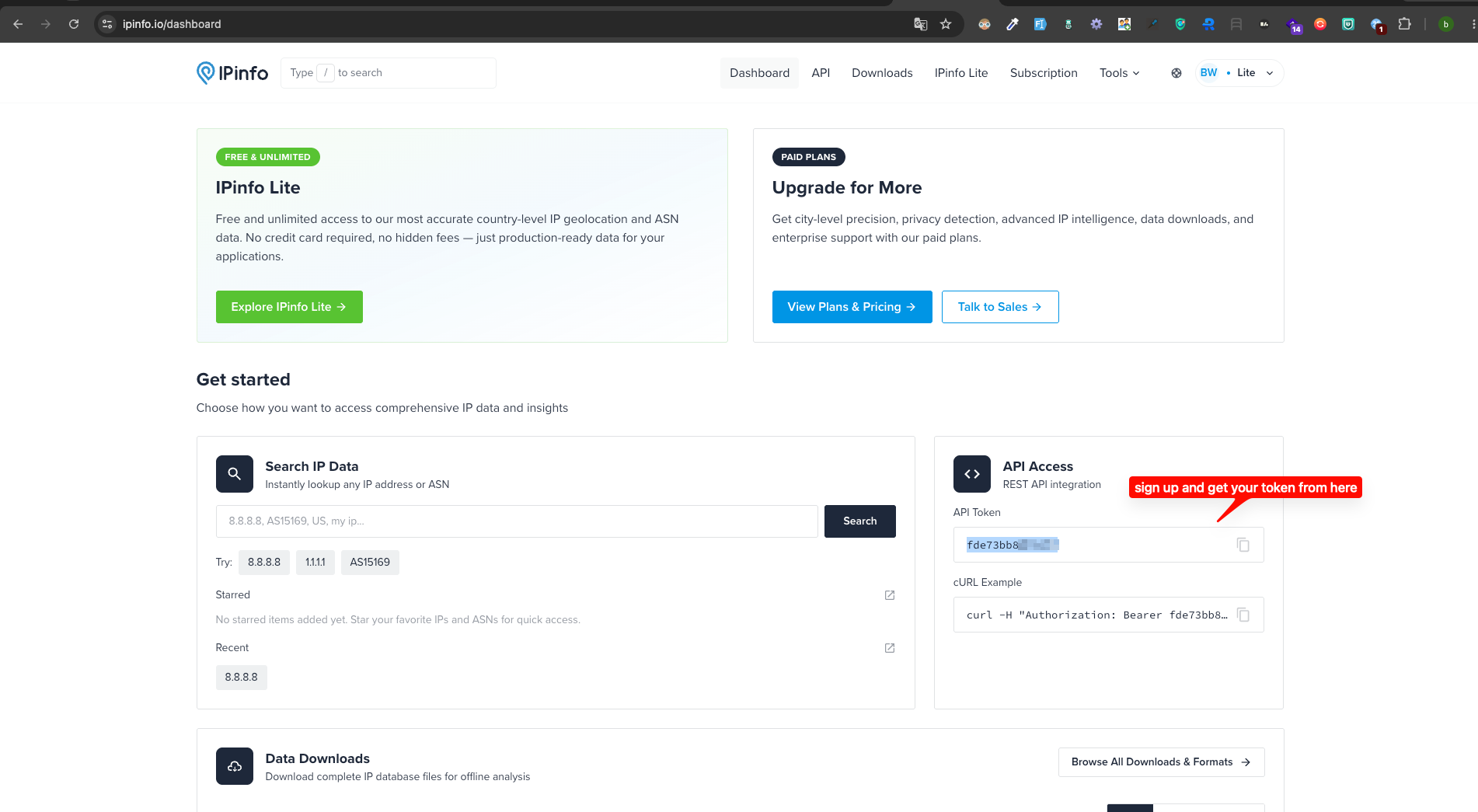
Step 1: Get Your Free Token
- Go to ipinfo.io.
- Sign up for a free account.
- Copy your access token from the dashboard.
Step 2: Enter the Token in the Admin Panel
In Settings > General > API Integrations, find the IP Geolocation API section and fill in:
| Field | What to Enter |
|---|---|
| API Token | Your ipinfo.io access token. Leave empty to use the free anonymous tier (rate-limited). |
The field is masked — click the eye icon to reveal it and confirm it's correct.
Step 3: Save
Click Save. The token takes effect immediately for new IP lookups.
Troubleshooting
| Problem | Likely Cause & Fix |
|---|---|
| Wrong banners or currency shown for a region | Country detection may be falling back to a default. Add a valid ipinfo.io token, or check that the visitor's country is active in your platform. |
| Detection works inconsistently under traffic | You may be hitting the free anonymous rate limit — add a token. |
| A specific visitor sees the wrong country | Results are cached per IP for 24 hours; the cache will refresh after that window. |
On a local/development server there is no real public IP, so the platform may use a built-in test IP for geolocation. This only affects local testing, not your live site.
Once a country is detected, the platform looks it up among your active countries. If the detected country isn't set up or active in your platform, the visitor falls back to default banners and currency.