Booking Management
View and manage all guest bookings on your eStay platform from a single interface.
Navigate to: Sidebar → Bookings
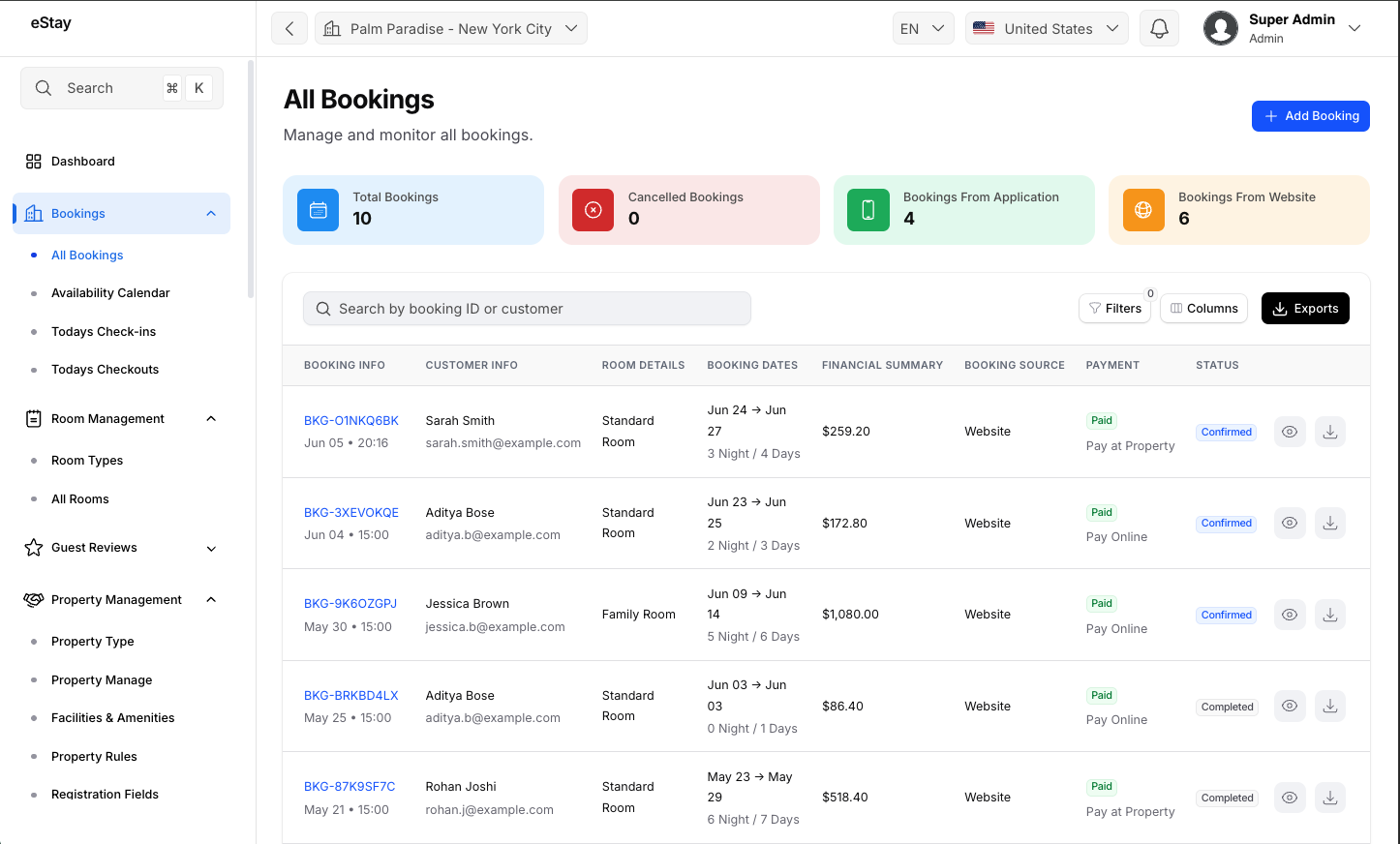
Booking Statuses
Every booking has one of the following statuses:
| Status | Description |
|---|---|
| Pending | Booking has been initiated but payment has not yet been confirmed. |
| Confirmed | Payment was successful and the booking is active. |
| Cancelled | Booking was cancelled by the guest or admin. |
| Completed | The guest has checked out and the stay is complete. |
Filtering Bookings
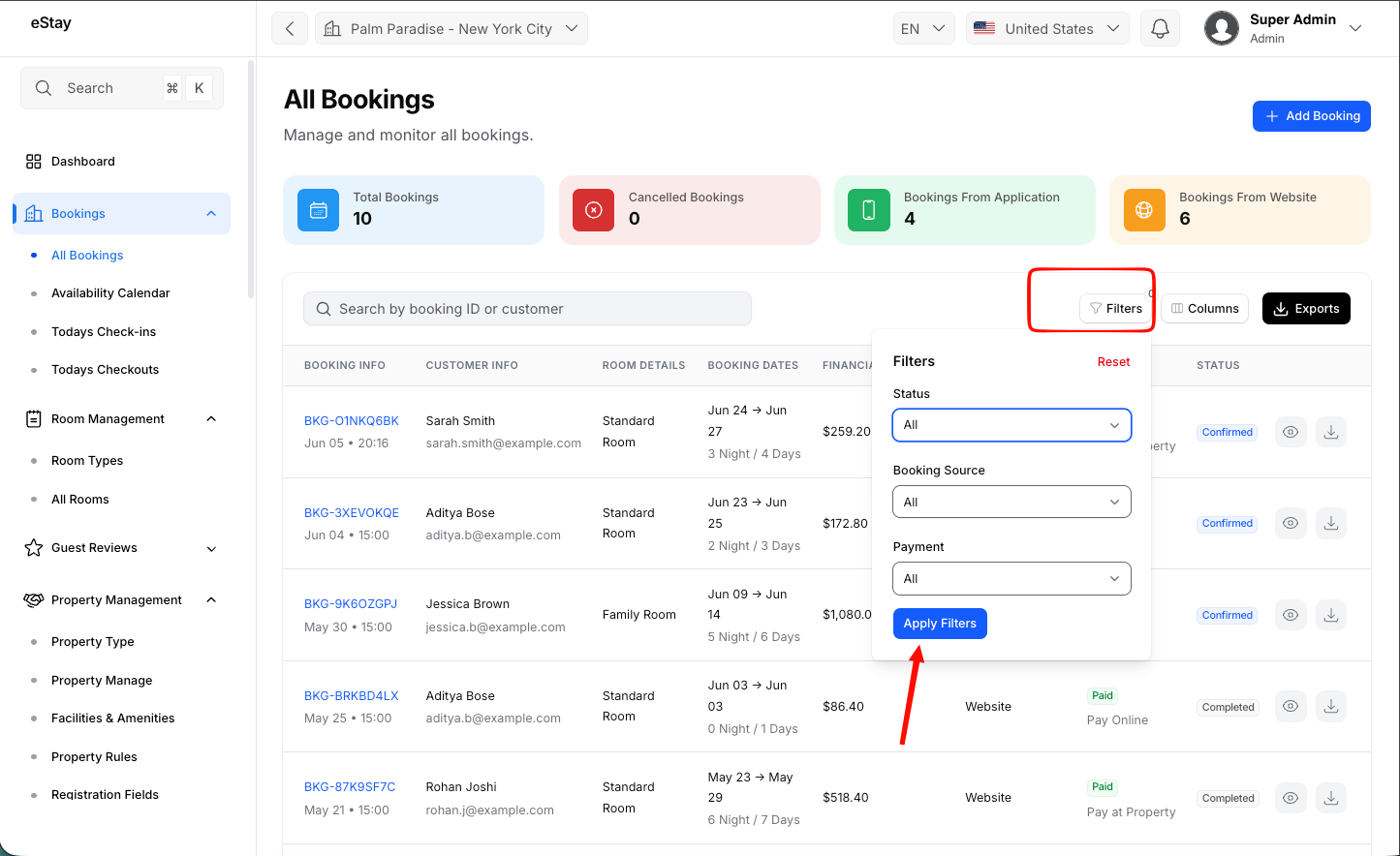
Use the filter options at the top of the booking list to narrow results.
| Filter | Description |
|---|---|
| Status | Filter by Pending, Confirmed, Cancelled, or Completed. |
| Date Range | Show bookings within a specific check-in or booking creation date range. |
| Property | Show bookings for a specific property. |
Viewing Booking Details
Click on any booking row or the View icon to open the full booking detail page.
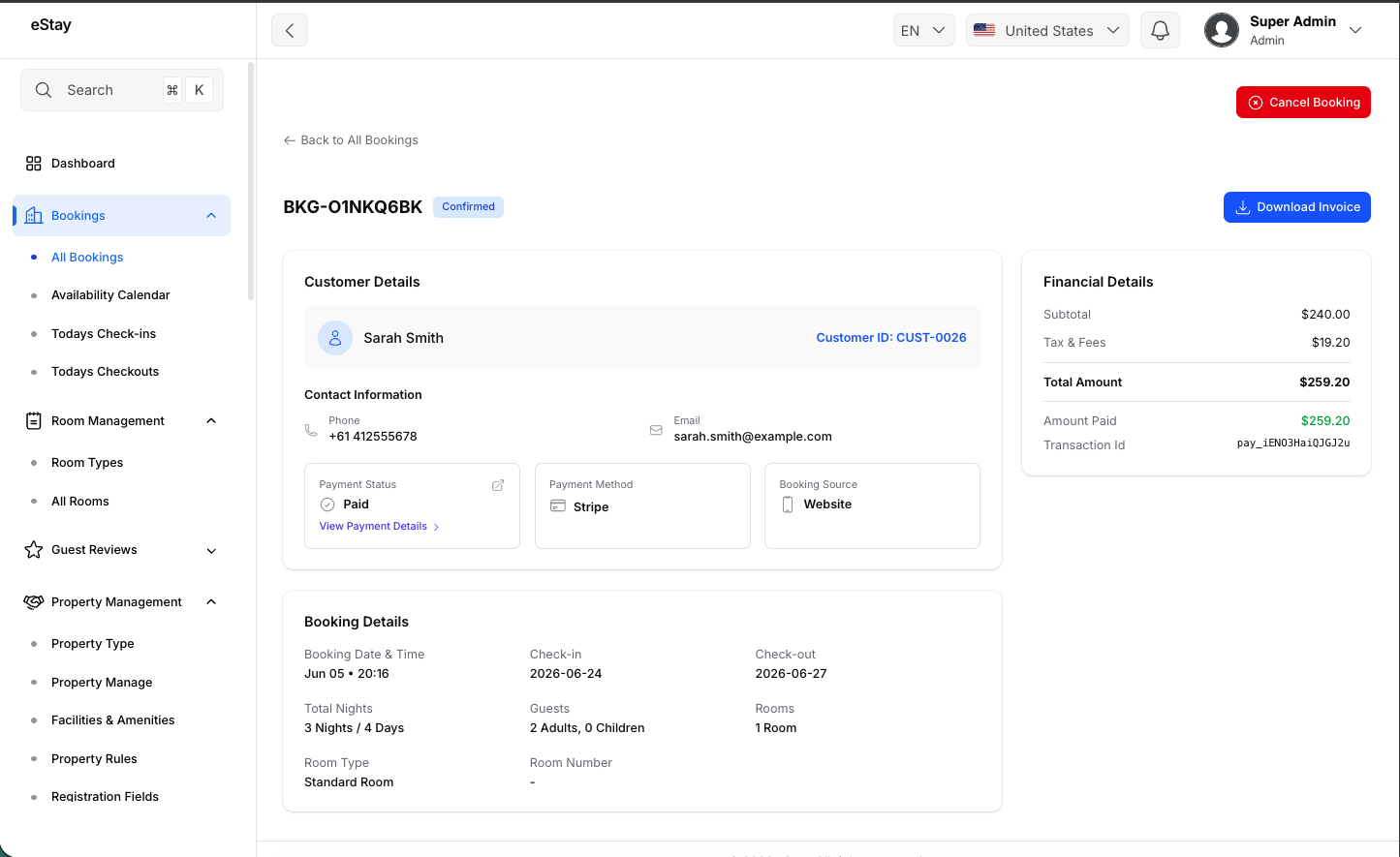
The detail view shows:
| Section | Details Shown |
|---|---|
| Guest Info | Guest name, email, and phone number. |
| Property & Room | Property name, room type selected. |
| Stay Dates | Check-in date, check-out date, and number of nights. |
| Guests | Number of adult and child guests. |
| Payment | Total amount, payment method, and payment status. |
| Booking Status | Current status with status history if applicable. |
Cancelling a Booking
To cancel a booking:
- Open the booking detail view.
- Click the Cancel Booking button.
- Enter a cancellation reason.
- Confirm the cancellation.
warning
Cancelling a booking is irreversible from the admin panel. Ensure any applicable refund is processed separately through your payment provider if required.
Exporting Bookings
To export the booking list:
- Apply any filters you need (status, date range, property).
- Click the Export button in the toolbar.
- Select the export format: CSV or Excel (XLSX).
- The file will download automatically.
info
The exported file reflects the current filter state. Apply filters before exporting to get a targeted report.