Cancellation Policy
Manage the refund rules and cancellation cut-off times for all bookings on your platform. You must configure these rules to complete this setup step.
Step 1: Navigate to Cancellation Policies
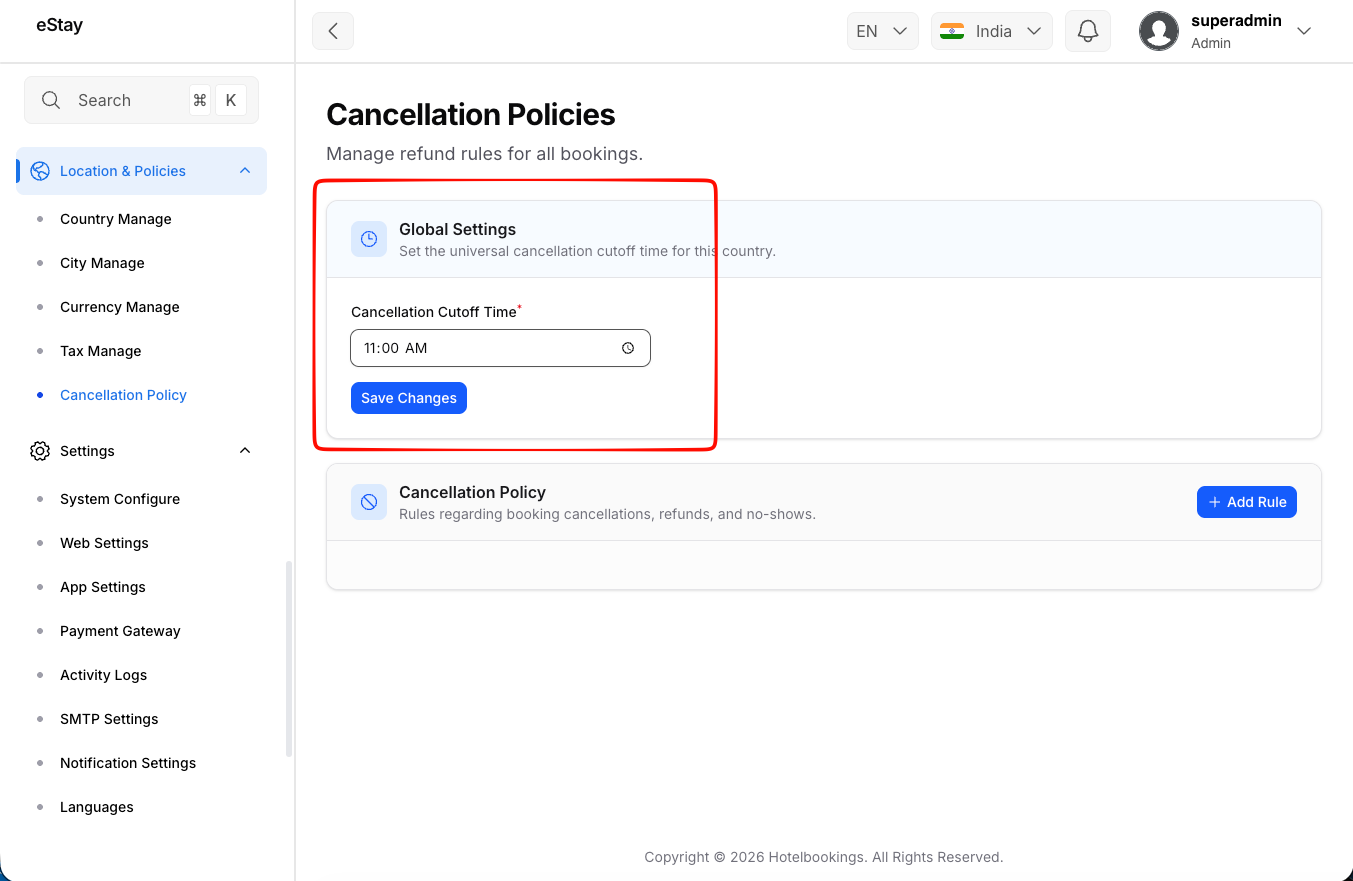
In your admin dashboard, navigate to Location Policies > Cancellation Policy using the left sidebar.
Step 2: Set the Cut-off Time
The Cancellation Cut-off Time dictates the local time of day by which a guest must cancel to have the rule apply to that specific day (e.g., 14:00 or 2:00 PM).
- Enter your preferred time in the Cancellation Cut-off Time field.
- The change will be saved automatically when you submit the form.
Step 3: Add a Cancellation Rule
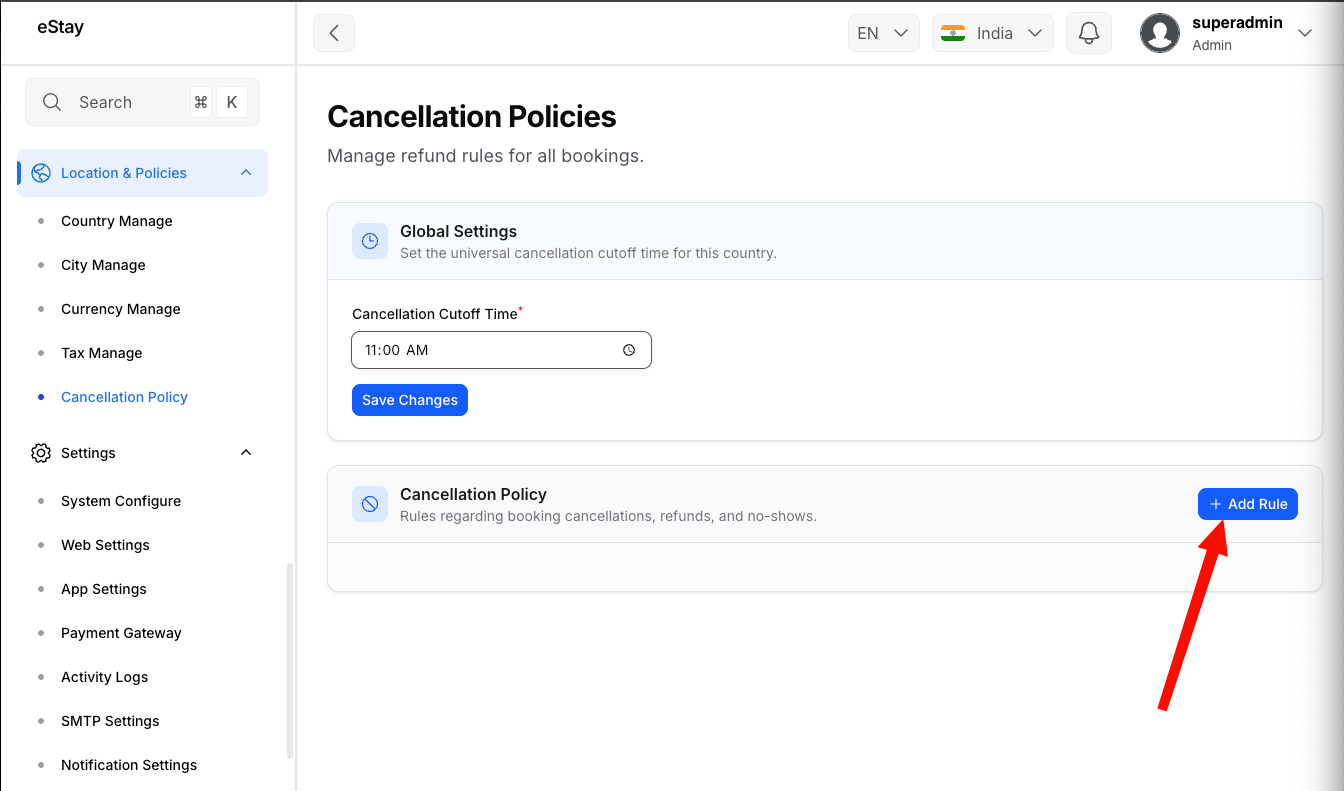
Your policy is made up of different rules based on how many days before check-in the guest cancels.
Click the Add Rule button to create a new tier in your policy.
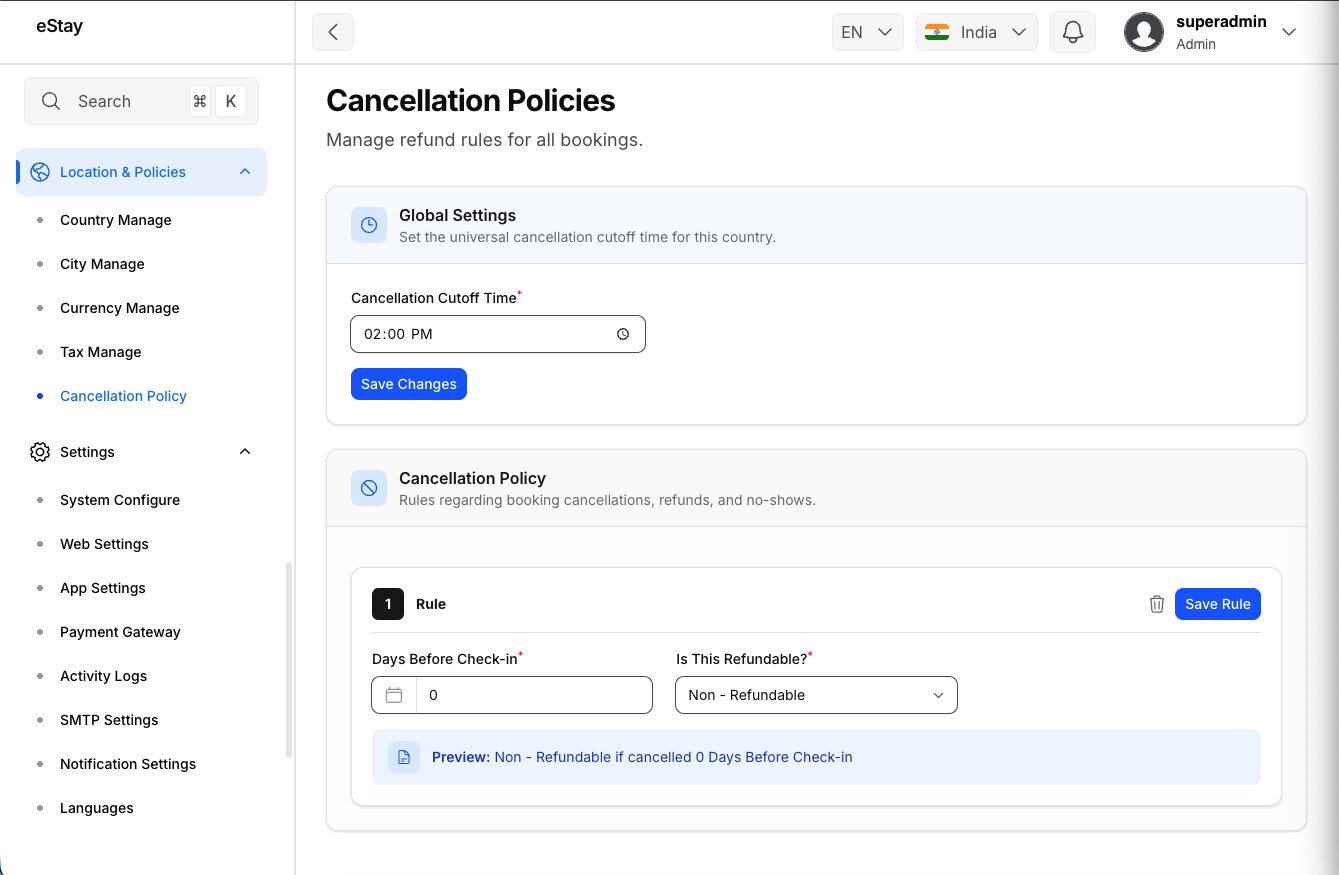
Fill in the rule details:
| Field | Description |
|---|---|
| Days Before Check-in | Enter the number of days before the check-in date that this rule applies. (e.g., entering 7 means if they cancel 7 or more days in advance). |
| Is this refundable? | Select Yes, Refundable or Non-Refundable. |
| Refund Percentage | If refundable, enter the percentage of the booking cost the guest will receive back (e.g., 50 for 50%). |
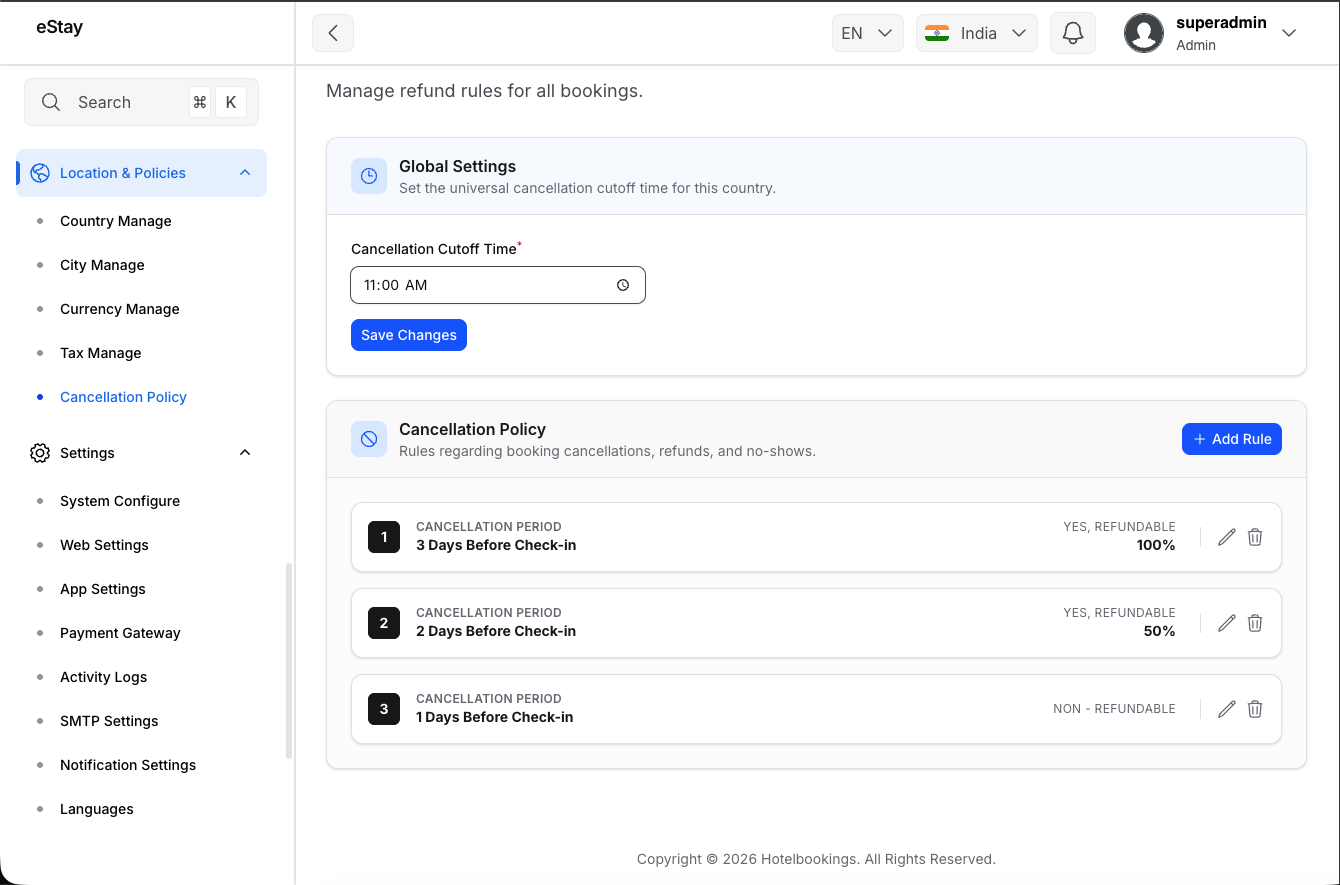
Click Save Rule when finished.
Step 4: Configure the Fallback Rule
Your system automatically enforces a 0 Days Before Check-in fallback rule. This rule dictates what happens if a guest cancels at the very last minute or on the day of check-in.
You must configure the 0 days rule. Typically, this is set to Non-Refundable or a very low refund percentage. You cannot delete this specific rule, but you can edit it at any time.