Events & Inquiries
The Event Management section has two related pages:
| Page | Purpose |
|---|---|
| All Events | Create and manage the event types you offer (weddings, conferences, etc.). |
| Event Inquiries | Review and respond to customer inquiries about hosting an event. |
Customers browse your events and submit inquiries; you manage the events here and follow up on each inquiry.
All Events
Event Management → All Events. Define the events your properties can host.
Events are general across the whole platform — not tied to a single country or property. The country and property switchers are hidden on this page.
Adding an Event
Click Add Event and fill in:
| Field | Description |
|---|---|
| Event Title | The event name. Must be unique. Max 255 characters. |
| Description | A short description. Required, max 150 characters (a live counter is shown). |
| Hero Image | The event's main image. Required. JPG or PNG, max 500 KB. |
| Key Features | Bullet-point highlights of the event. Add up to 4 features. |
| Display Status | Active (Visible) or Inactive (Hidden). (Shown when editing; new events default to Active.) |
Click Create Event to save.
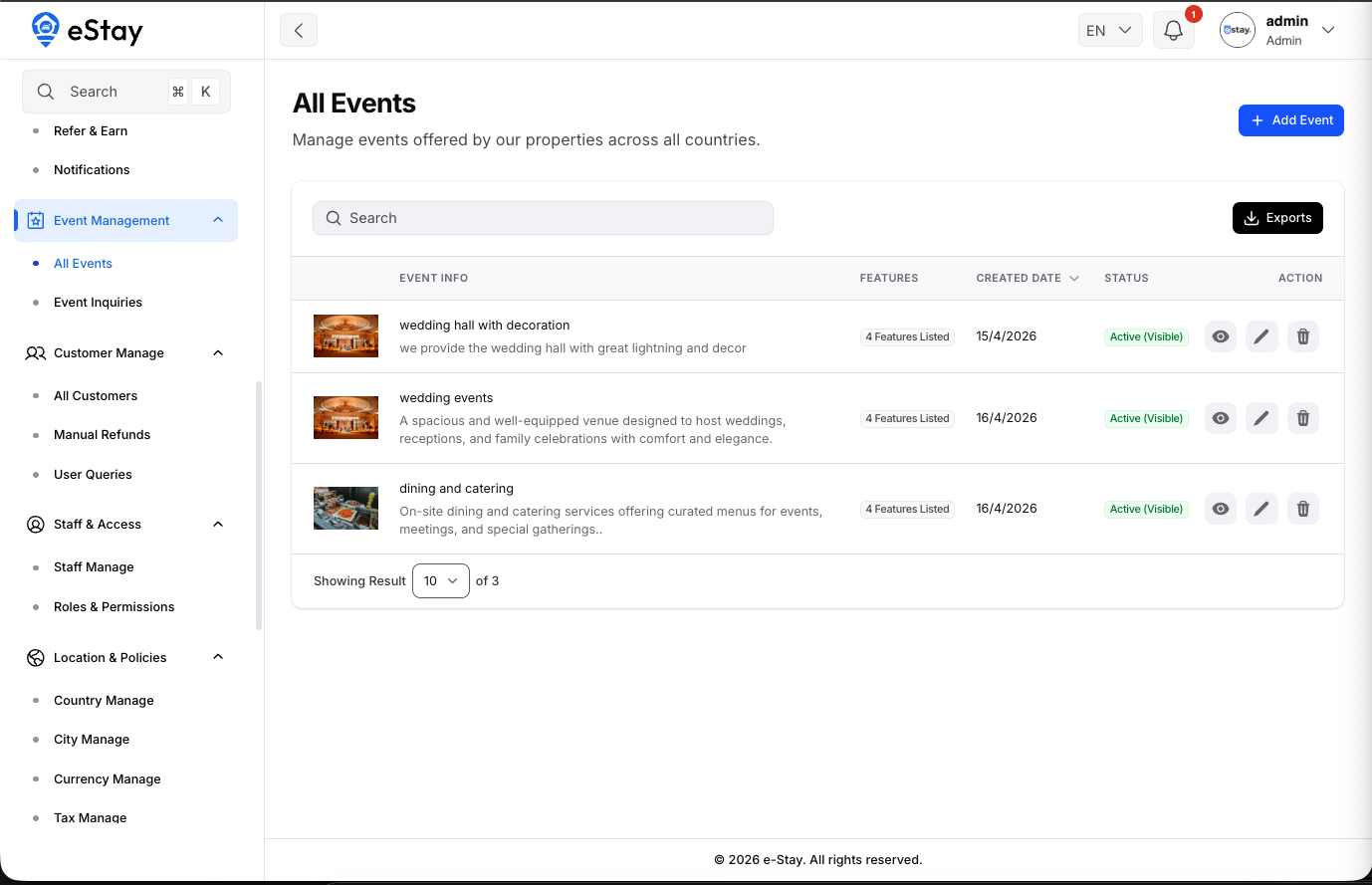
The Events List
| Column | Description |
|---|---|
| Image | The event's hero image. |
| Event Info | Title and description. |
| Features | How many features are listed. |
| Created Date | When it was added. |
| Status | Active (green) or Inactive (red). |
Each event has View (preview), Edit, and Delete actions, and the list can be exported.
Event Inquiries
Event Management → Event Inquiries. When a customer is interested in hosting an event, they submit an inquiry — this is where you manage and respond to them.
Inquiries are shown for your currently selected country (based on the property they're about). Switch the country from the topbar to see inquiries elsewhere.
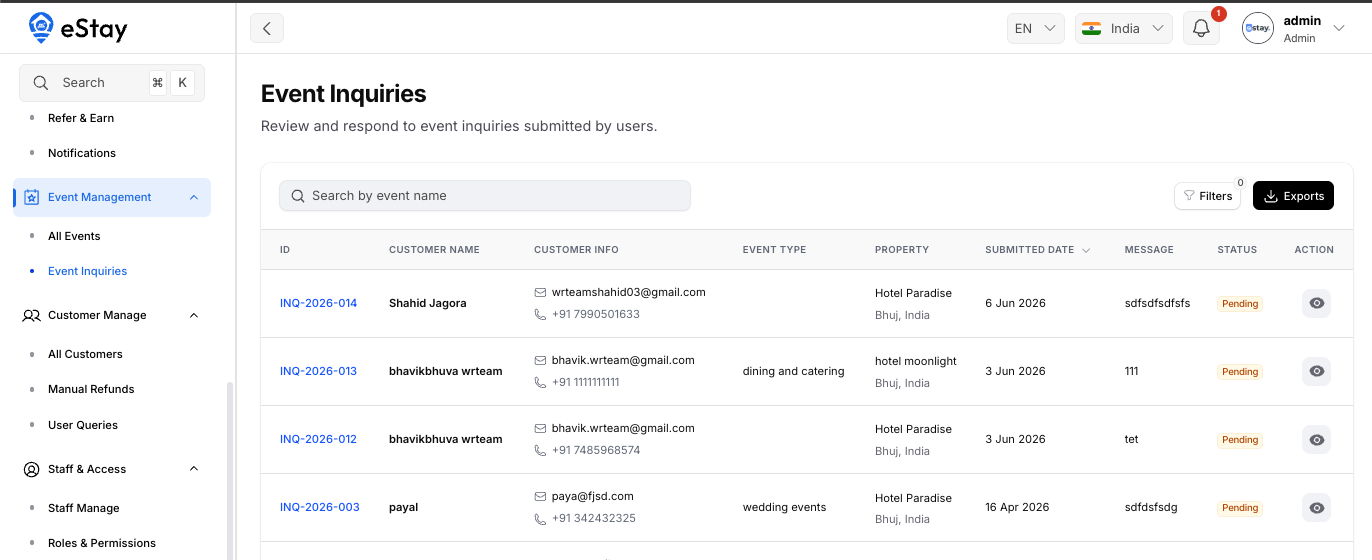
The Inquiries List
| Column | Description |
|---|---|
| ID | The inquiry number. |
| Customer Name | Who submitted it. |
| Customer Info | Email and phone. |
| Event Type | Which event they're asking about. |
| Property | The property/location requested. |
| Submitted Date | When it came in. |
| Message | Their note / requirements. |
| Status | Pending, Contacted, or Closed. |
You can search (by event name, customer, email, phone), filter by status, and export.
Responding to an Inquiry
Click the View icon (eye) to open the full inquiry — customer details, requested location, when it was received, and their special requirements.
At the bottom, use the Update Status dropdown to move the inquiry through your workflow:
| Status | Use when… |
|---|---|
| Pending | New inquiry, not yet handled. |
| Contacted | You've reached out to the customer. |
| Closed | The inquiry is resolved or no longer active. |
Keeping statuses up to date helps your team see at a glance which inquiries still need follow-up.