Update System
The Update System lets you upgrade eStay to a newer version directly from the admin panel without manually replacing files via FTP or SSH.
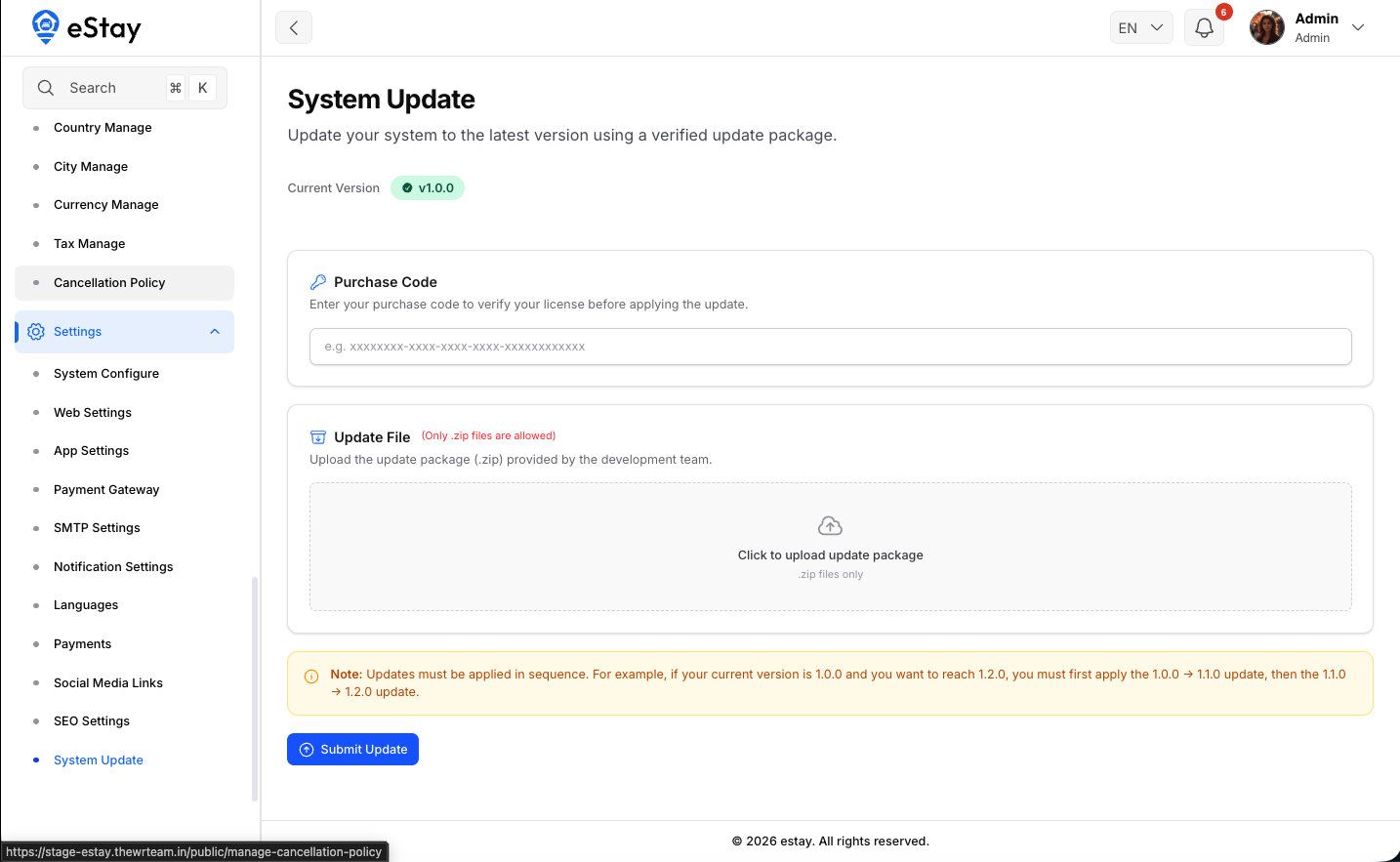
Navigate to Settings → Update System in the admin sidebar.
Before You Update
Always take a full backup of your project files and database before running any update.
If upgrading from a very old version, you must update sequentially. Do not skip intermediate versions. For example: v1.0 → v1.1 → v1.2 → v1.3. Skipping versions may cause database migration errors or missing features.
Finding the Update File
Update zip files are included in the downloaded source package:
eStay Admin - current_version/
  └── Updates/
        └── your_required_version_update_file.zip
Download the correct zip for the version you are upgrading to.
Steps to Update
- Log in to your admin panel.
- Navigate to Settings → Update System or visit:
https://yourdomain.com/admin/settings/updater
- The page shows your Current Version and Latest Version details.
- Click Choose File and select the update
.zipfile.
- Click Update The System.
- Wait for the update process to complete — do not close the browser tab.
- Once done, the system confirms the update and displays the new version number.
The updater handles file replacement and database migrations automatically. No manual php artisan migrate is required after using the built-in updater.
After Updating
- Clear your browser cache.
- Test key workflows (login, booking, payments) to confirm everything is working.
- Check Settings to verify any new configuration options added in the new version.